
Appointment Performance Reports for Financial Advisors
See how many appointments are kept, which prospects move from the 1st to the 4th meeting, and how fast they become clients, by advisor and by source.
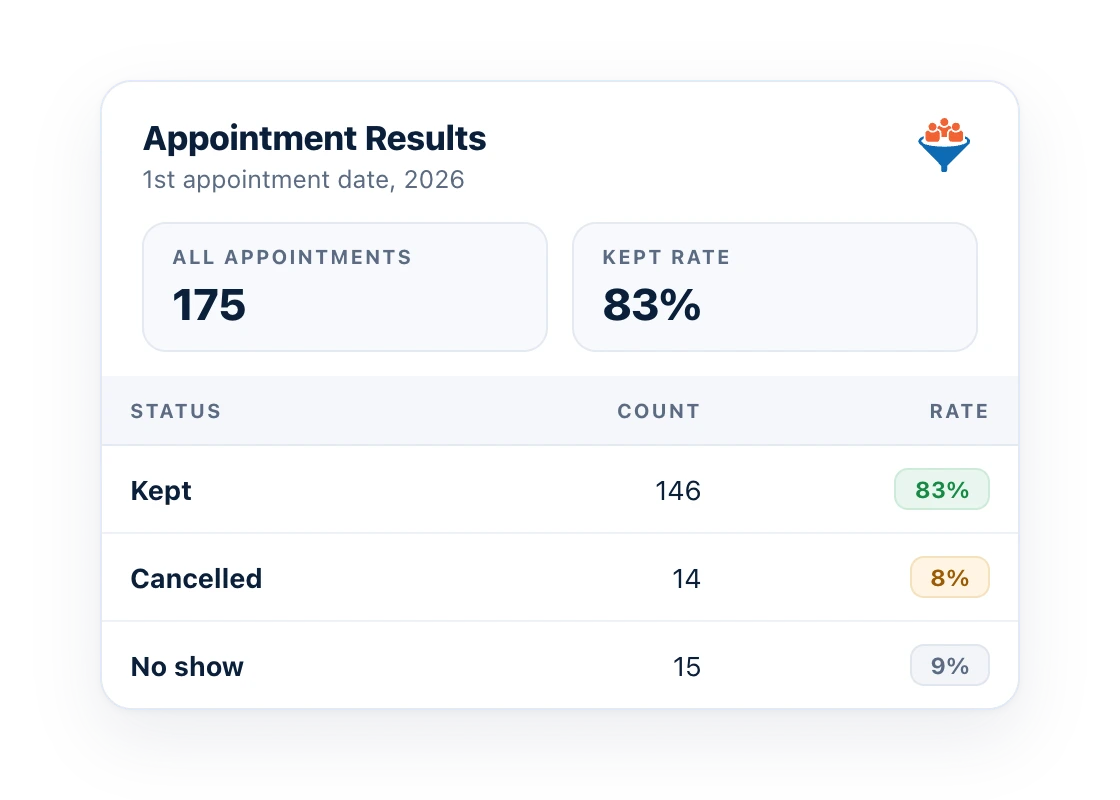
 Kept and No-Show Rates
 Advisor and Source View
 Speed to Client
Measure Conversion From the 1st to the 4th Appointment
Conversion rate shows how many kept meetings led to the next appointment, from the 1st to the 4th. Kept rate is shown on its own: the share of booked meetings that took place.
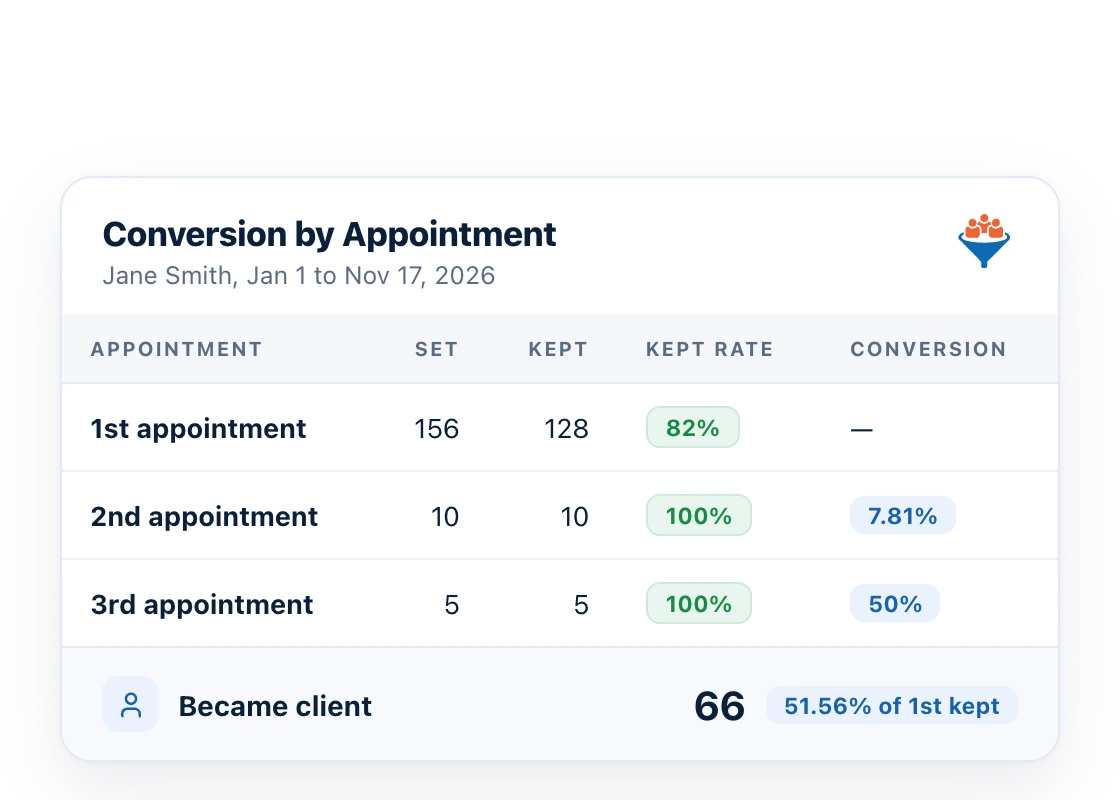
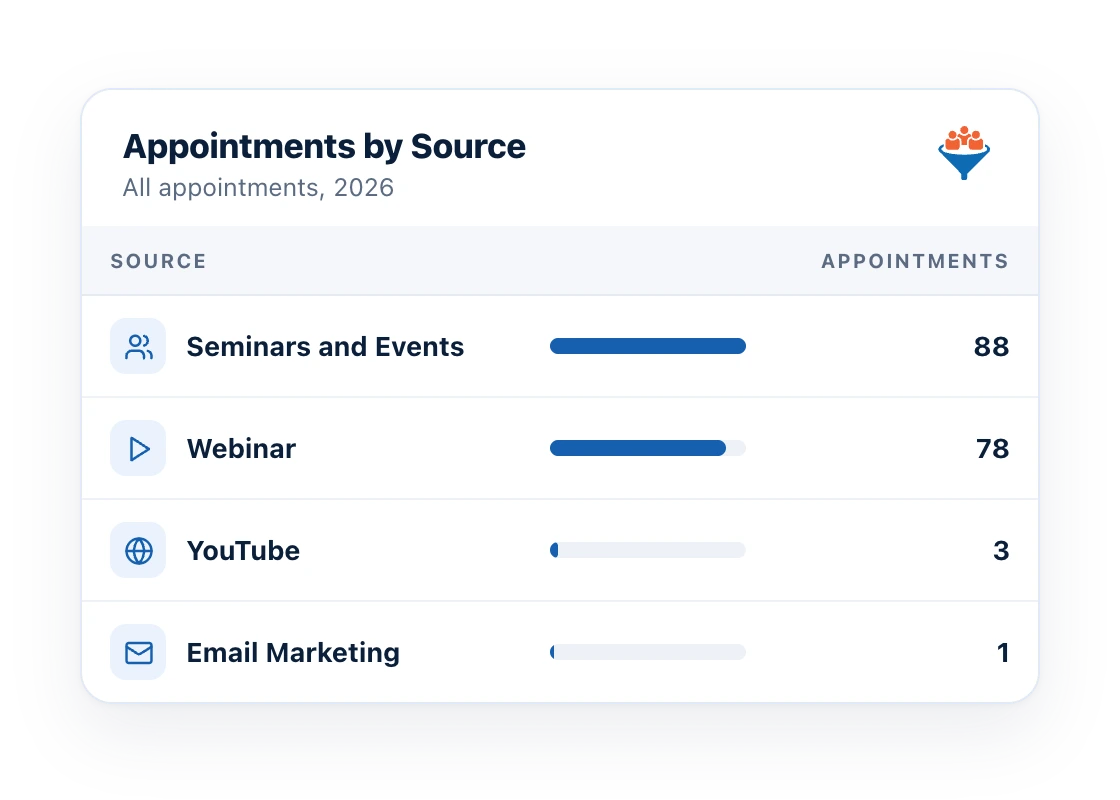
Measure Advisors and Sources
See appointments by advisor, category and source, with kept, cancelled and no-show counts, so you know which advisors and sources set the strongest meetings.
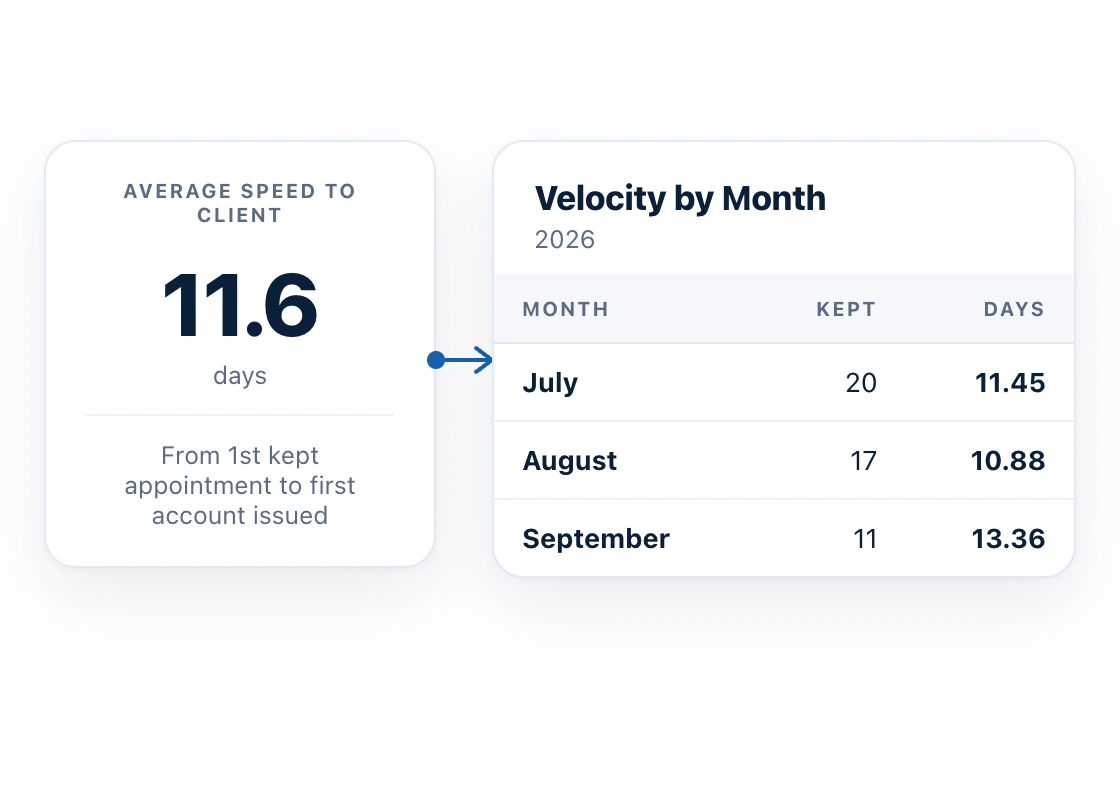
Know How Fast Prospects Become Clients
The Velocity report counts the days from a contact’s 1st kept appointment to the account issued date, so you can see how long your sales cycle really is.
Frequently asked questions
Which appointment reports are included?
1st Appointments with New Prospects, All Appointments with New Prospects (1st to 4th), All Appointments, Scheduler Performance and the Velocity report.
What can I filter by?
Filter by host, source, contact stage, category, owner, won or lost, office location, meeting status and estimated investable assets.
How often are the reports updated?
Reports refresh every 15 minutes, so very recent changes can take a few minutes to appear.
Can I see who booked each appointment?
Yes. The Scheduler Performance report lists appointments by created date and by who created them, so you can track each scheduler.
Can I share a report with my team?
Yes. Download any filtered view as a PDF.
Ready to Get More From Every Appointment?
See kept rates, appointment funnels and speed to client for every advisor in LeadCenter.
LeadCenter CRM, anywhere you go
Access your contacts, calendar, and tasks on the go with the LeadCenter mobile app for iOS and Android.


