
Email Marketing Solution for Financial Advisors
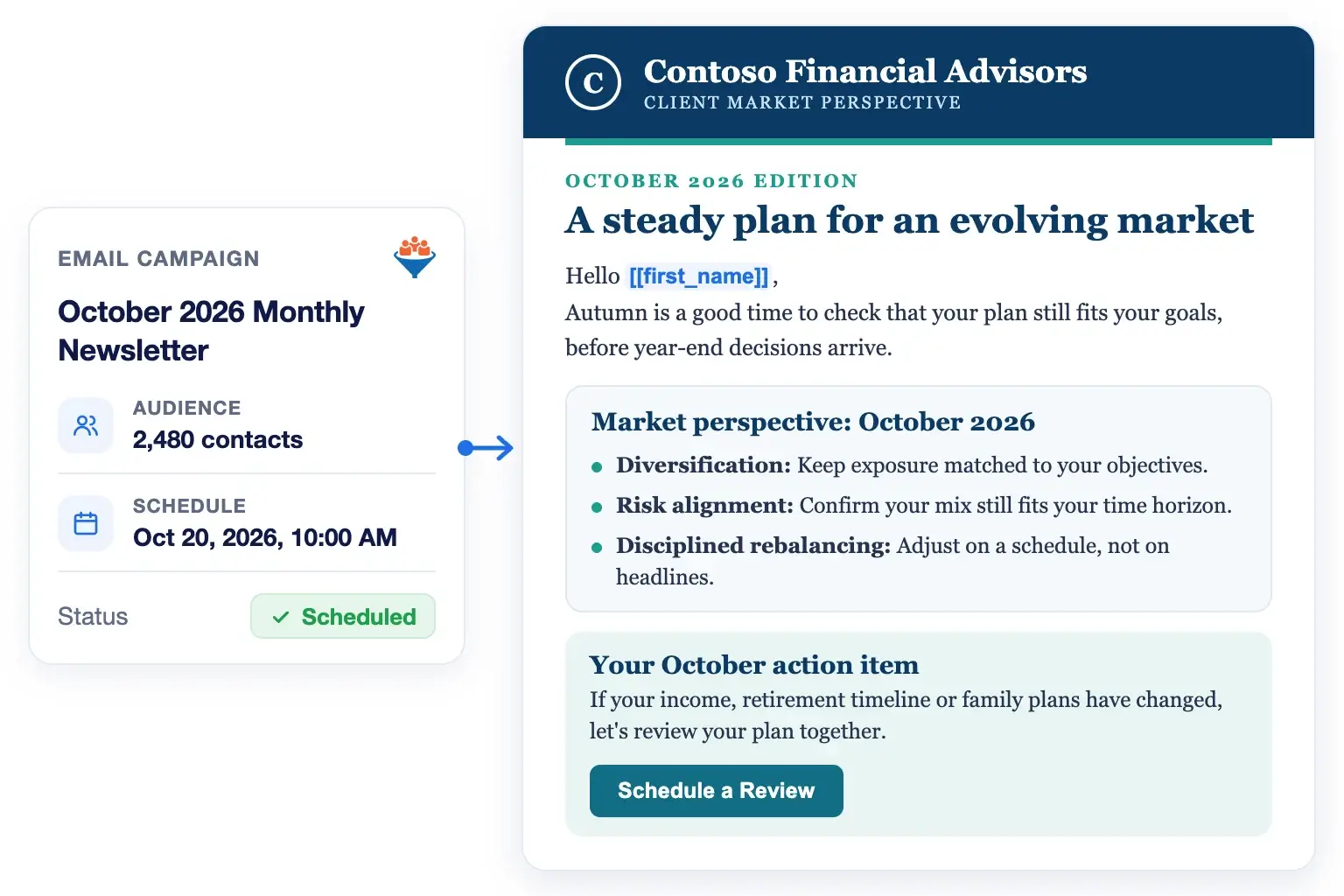
Design branded emails in a visual drag-and-drop builder, then send them from your CRM to the right contacts, using live contact data and no list exports.
 Visual Email Builder
 Built-In Contact Management
 Advanced Analytics
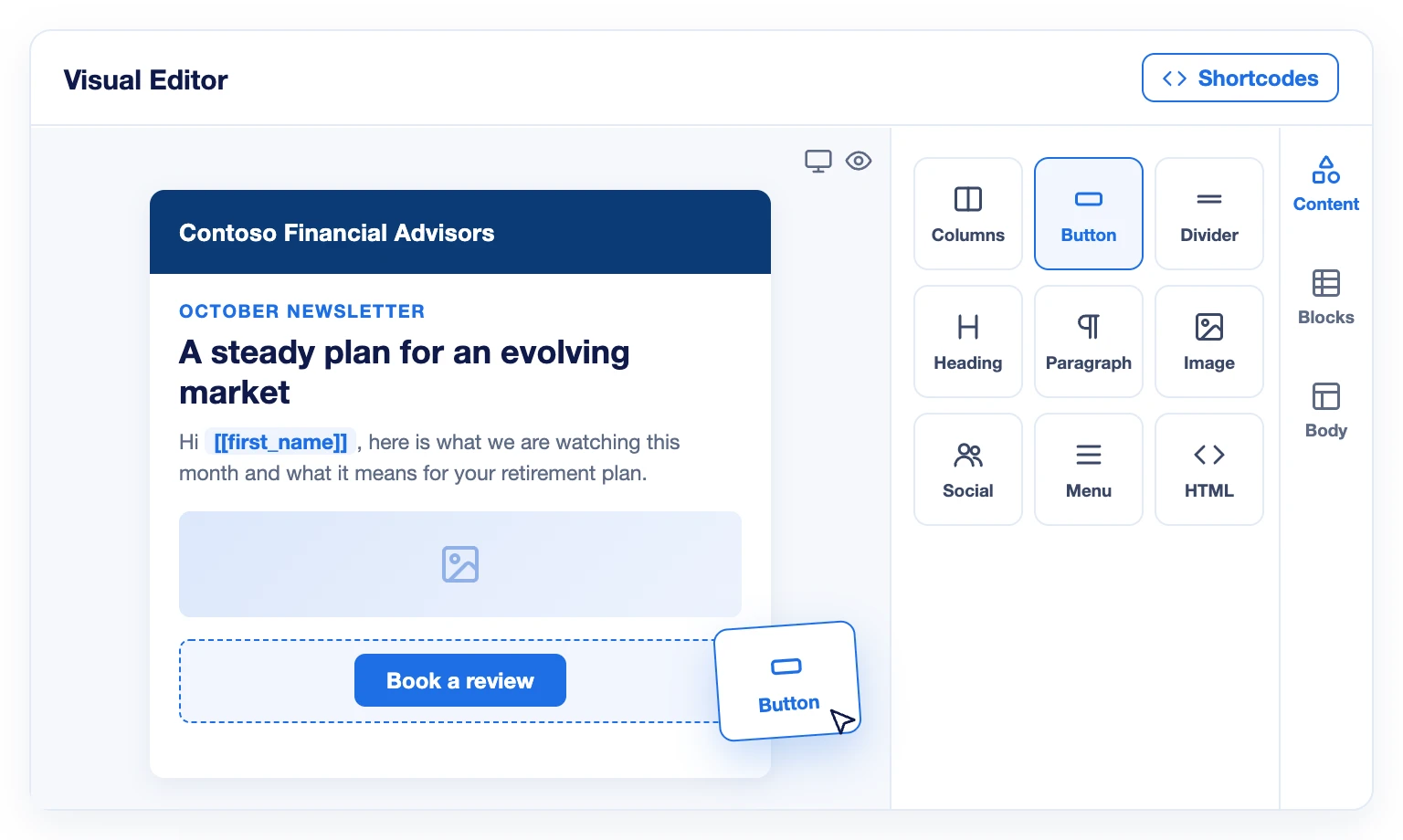
Design Emails with Drag and Drop
Build branded newsletters in the visual editor. Drag in headings, images, buttons and columns, add shortcodes such as the contact's first name, and preview before you send. Troy AI can write and polish the copy, or build a branded layout for you.
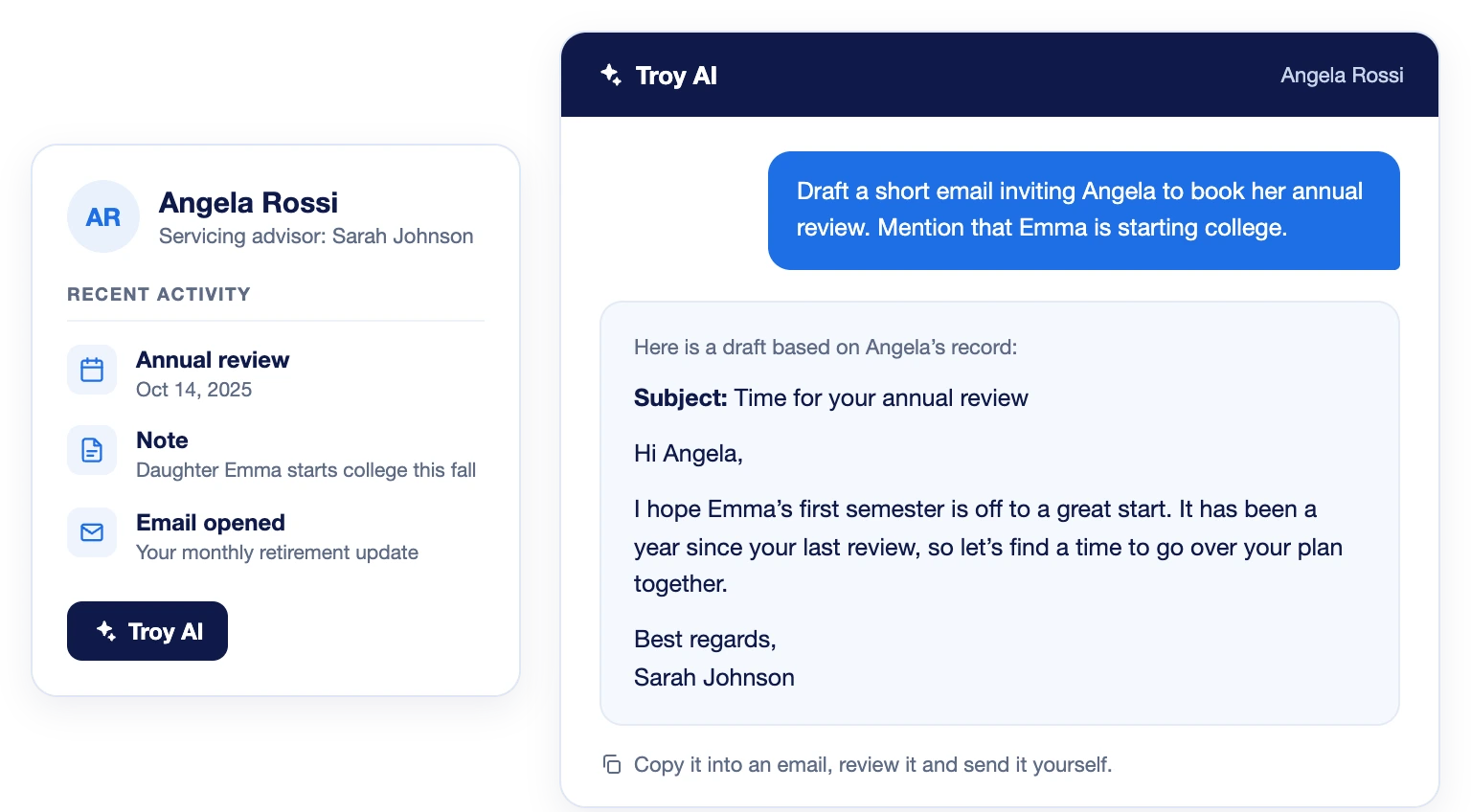
Personal Emails Drafted with Troy AI
Open Troy AI on a contact and ask for a draft. It uses that contact's details and the context you give it, and you review the wording before you send.
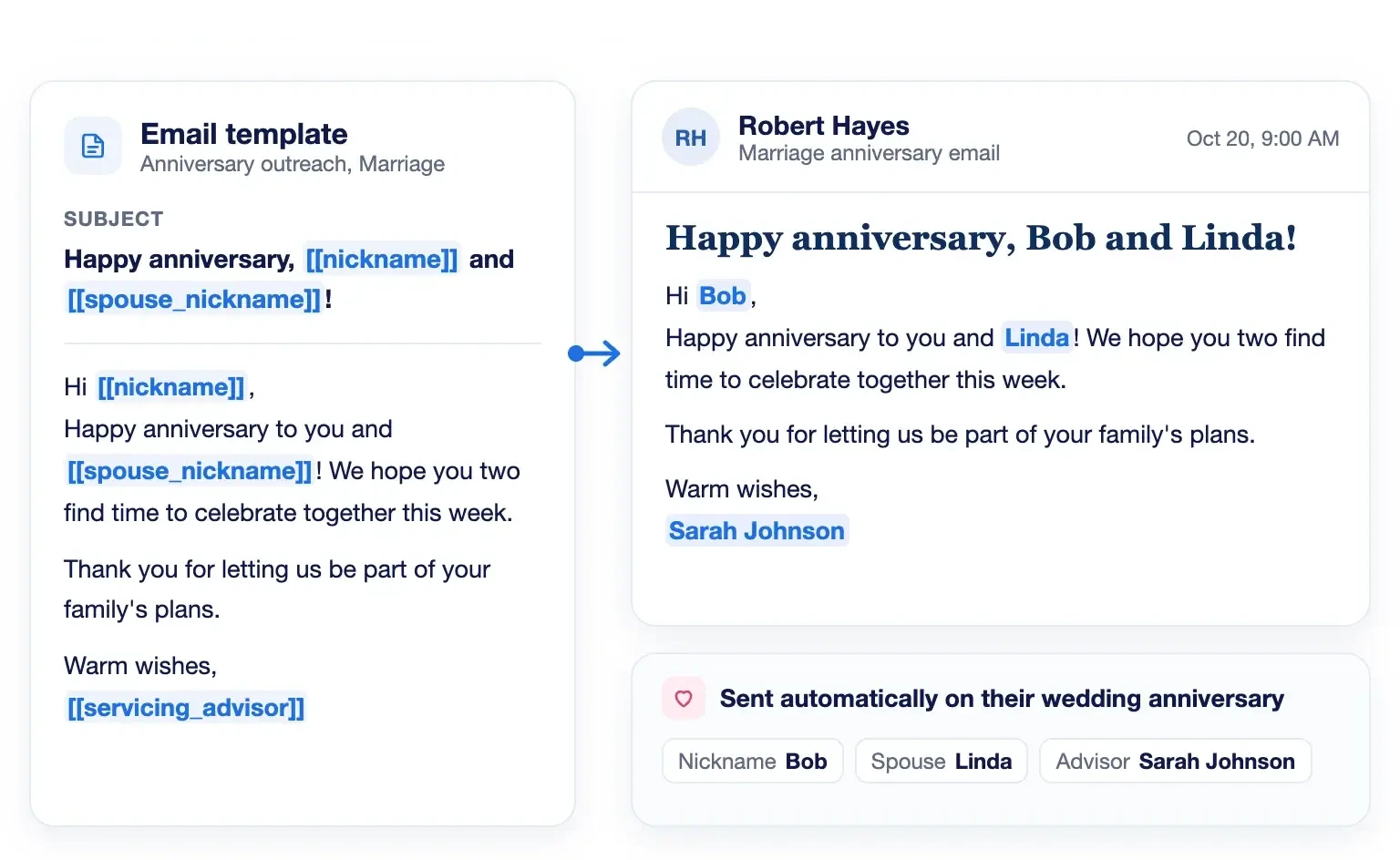
Emails with a Personal Touch
Shortcodes add each client's nickname, spouse and advisor, and anniversary emails go out on their special dates.
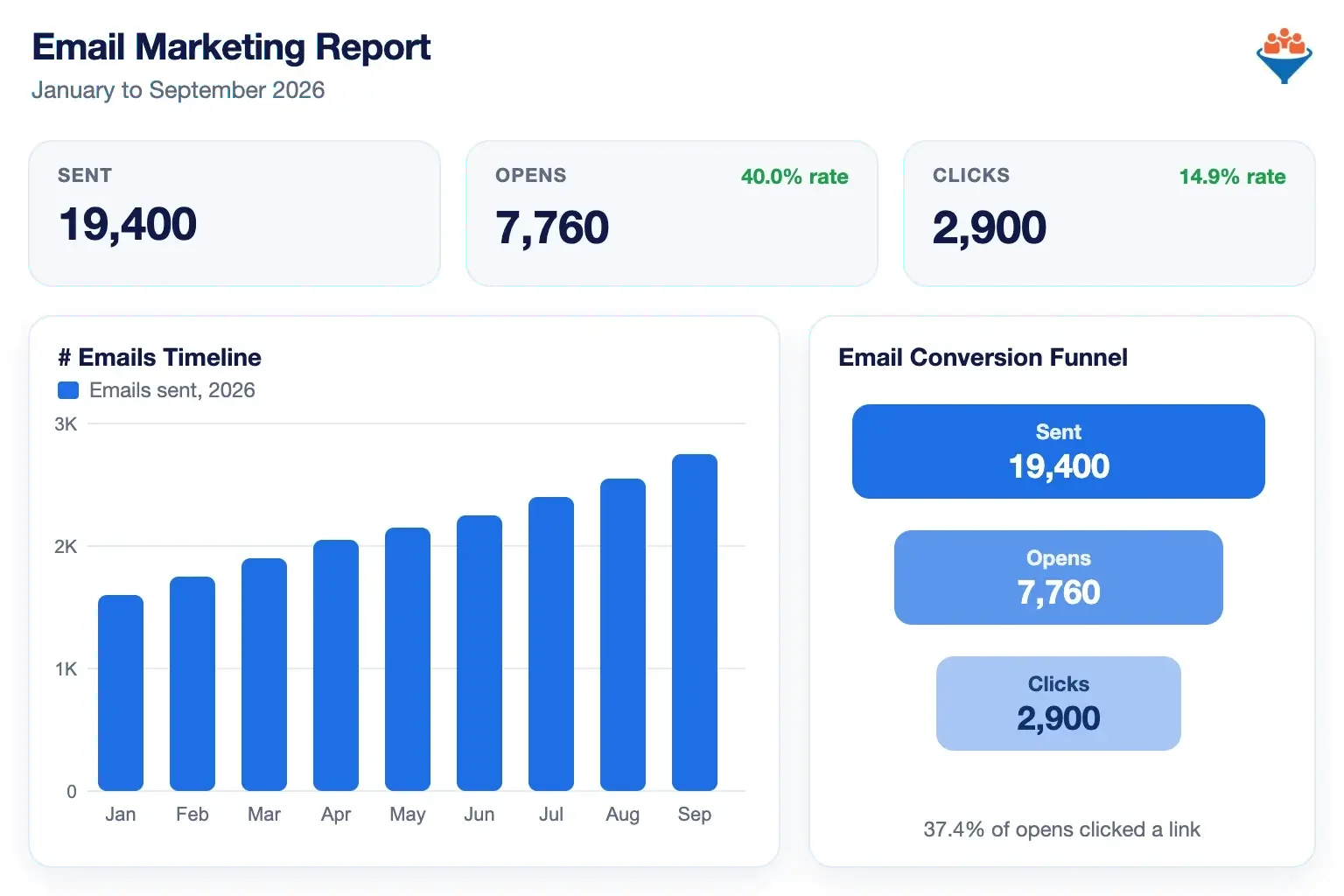
Measure Email Sends, Opens and Clicks
The Email Marketing Report shows sent emails, open and click rates, bounces and unsubscribes for every campaign.
Email the Right Contacts, No Exports Needed
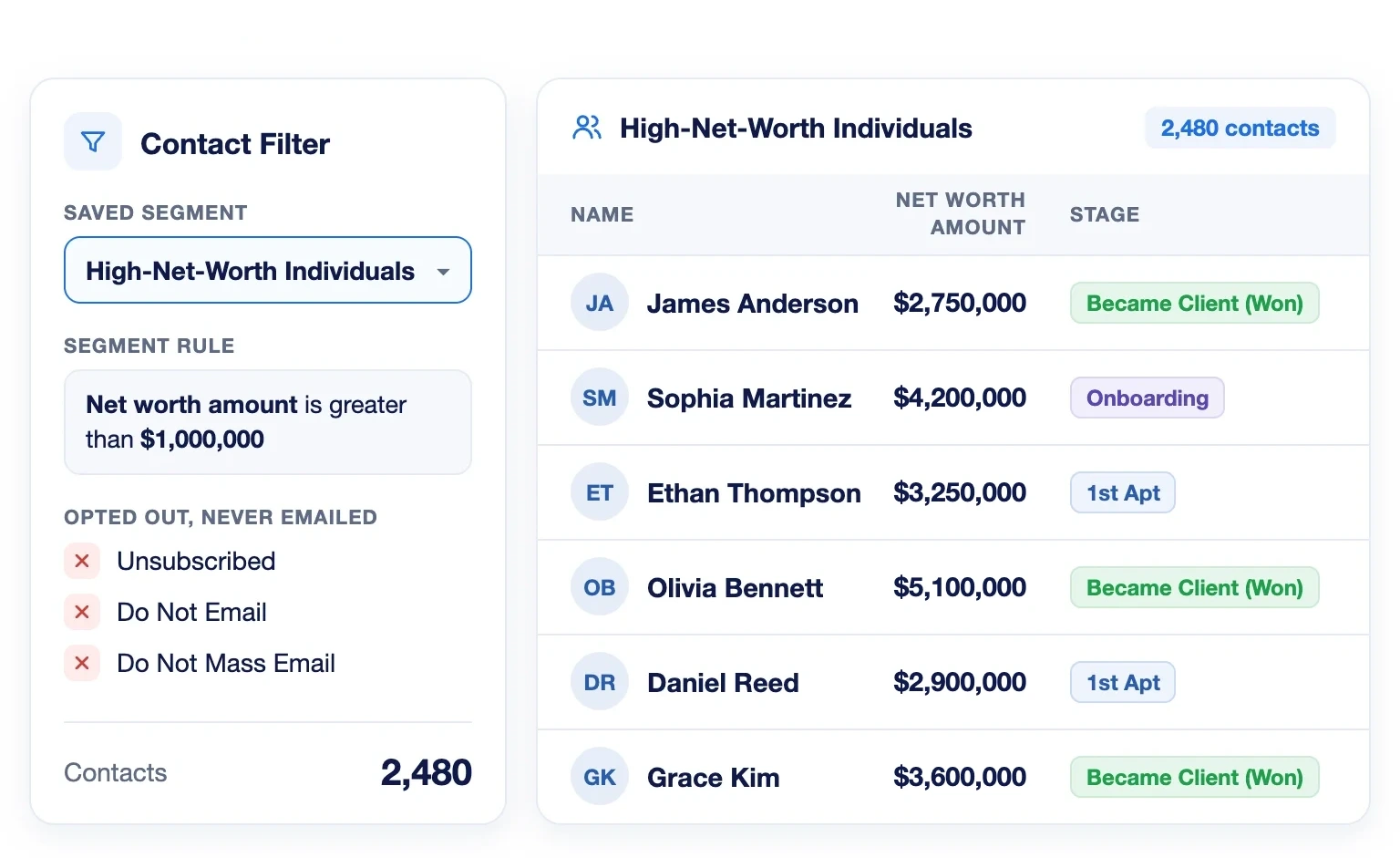
Pick a saved segment, such as high-net-worth individuals, and every campaign uses live contact data from LeadCenter.
Frequently asked questions
How do I choose who receives an email campaign?
In the campaign's Contact Filter step, choose a saved segment or create a one-time segment with rules such as tags, custom fields, location or contact stage. Contacts who unsubscribed or are marked Do Not Email or Do Not Mass Email are left out automatically.
Can I personalize each email?
Yes. Shortcodes such as [[nickname]], [[spouse_nickname]] and [[servicing_advisor]] fill in each contact's own details when the email is sent. Anniversary outreach can also send birthday, marriage and client-since emails automatically on each client's date.
Can Troy AI help me write emails?
Yes. On a contact record, Troy AI can draft wording that uses that contact's details and any context you add, which you then review and send yourself. To write or polish email templates, use Troy AI in the email template editor.
How do I schedule an email campaign?
Go to Marketing, Email marketing, Campaigns and click New campaign. The Schedule step sets when it sends, the Contact Filter step sets the audience, and the Send Email step picks the template and sending address. Then click Save & Schedule.
What can I track after sending?
The Email Marketing Report shows emails sent, opens, clicks, bounces, spam reports and unsubscribes, with rates based on emails sent. The Sent emails page shows the delivery status of each email.
Boost Conversions with Targeted Campaigns
Send personalized email campaigns to the right contacts, straight from your CRM, and see what every campaign achieves.
LeadCenter CRM, anywhere you go
Access your contacts, calendar, and tasks on the go with the LeadCenter mobile app for iOS and Android.


