
Event and Seminar Reports for Financial Advisors
See who registered and attended your seminars, what each event cost, and how many attendees booked a first appointment and became clients.
 Attendance Insights
 Event Cost & Return
 Client Conversion
Know Who Showed Up
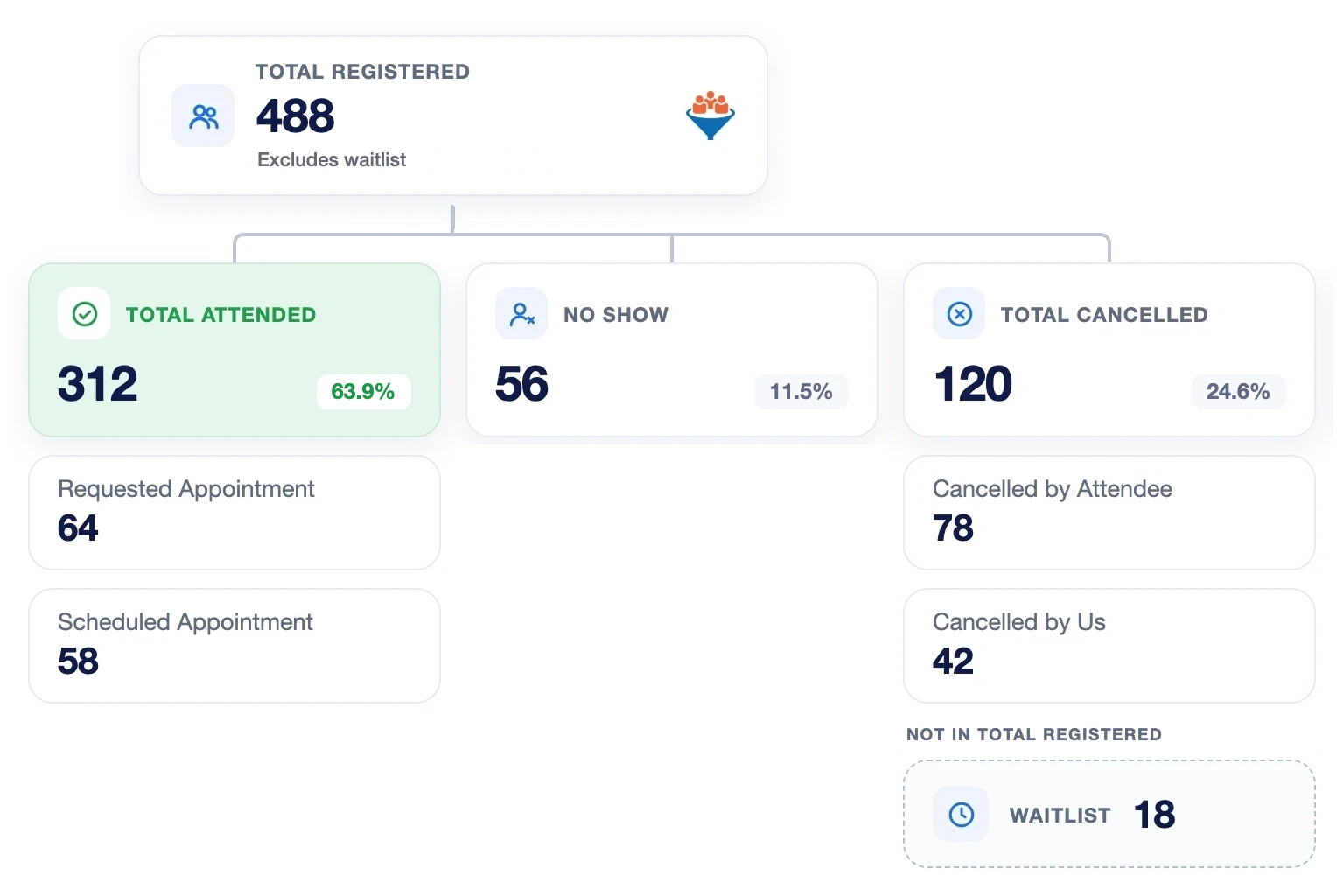
The Event Attendees Report shows every registration by status: attended, requested appointment, no-show, cancelled and waitlist. Total Registered leaves out the waitlist. Filter by event, source, stage, mail house or office location to see who is worth a follow-up.
See What Your Events Cost and Return
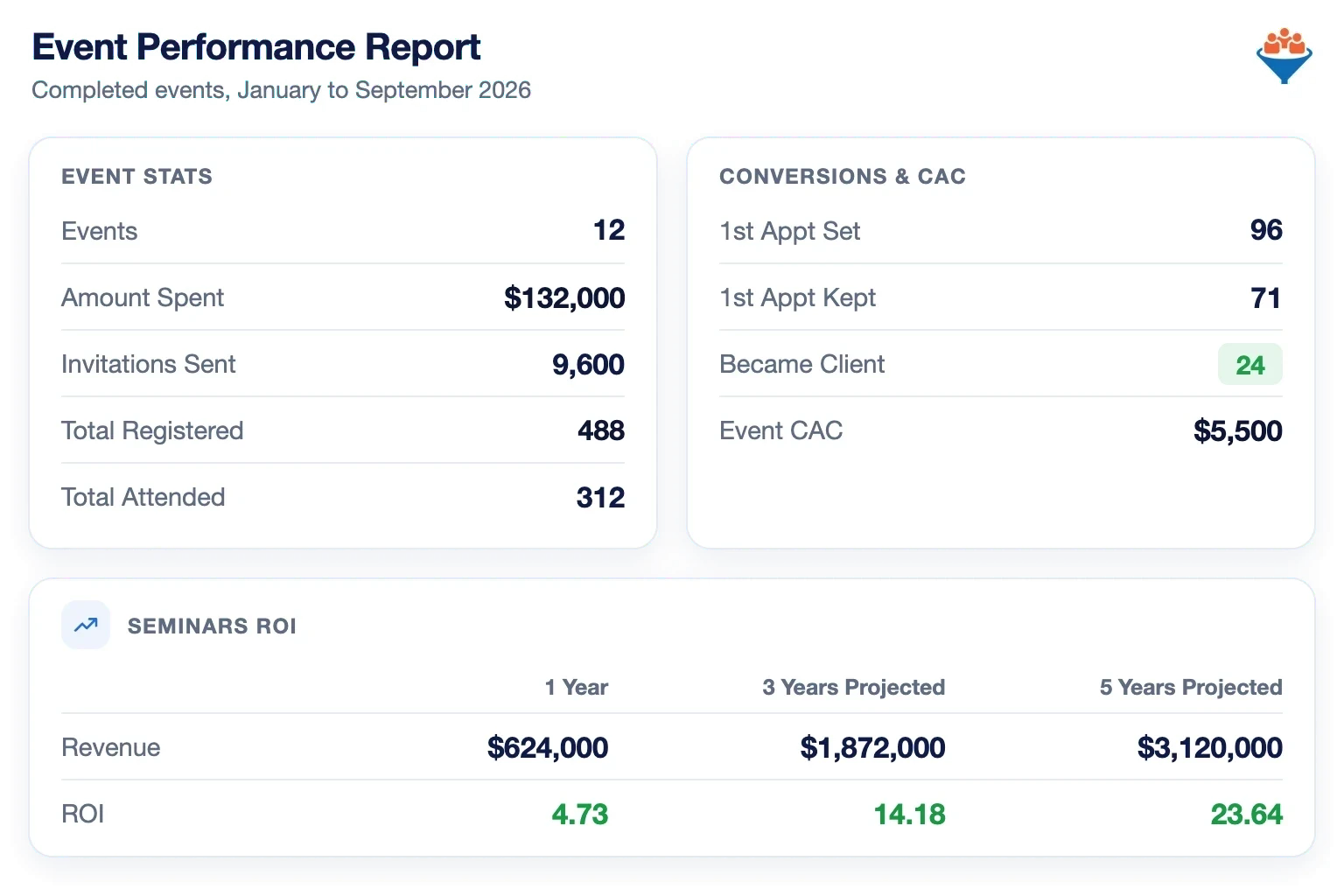
The Event Expenditure Report breaks down spend by event and spend category. The Event Performance Report then shows your cost per new client (Event CAC) and seminar ROI at 1 year, with 3 and 5 year projections, so you know which events pay off.
See Which Events Drive Client Conversions
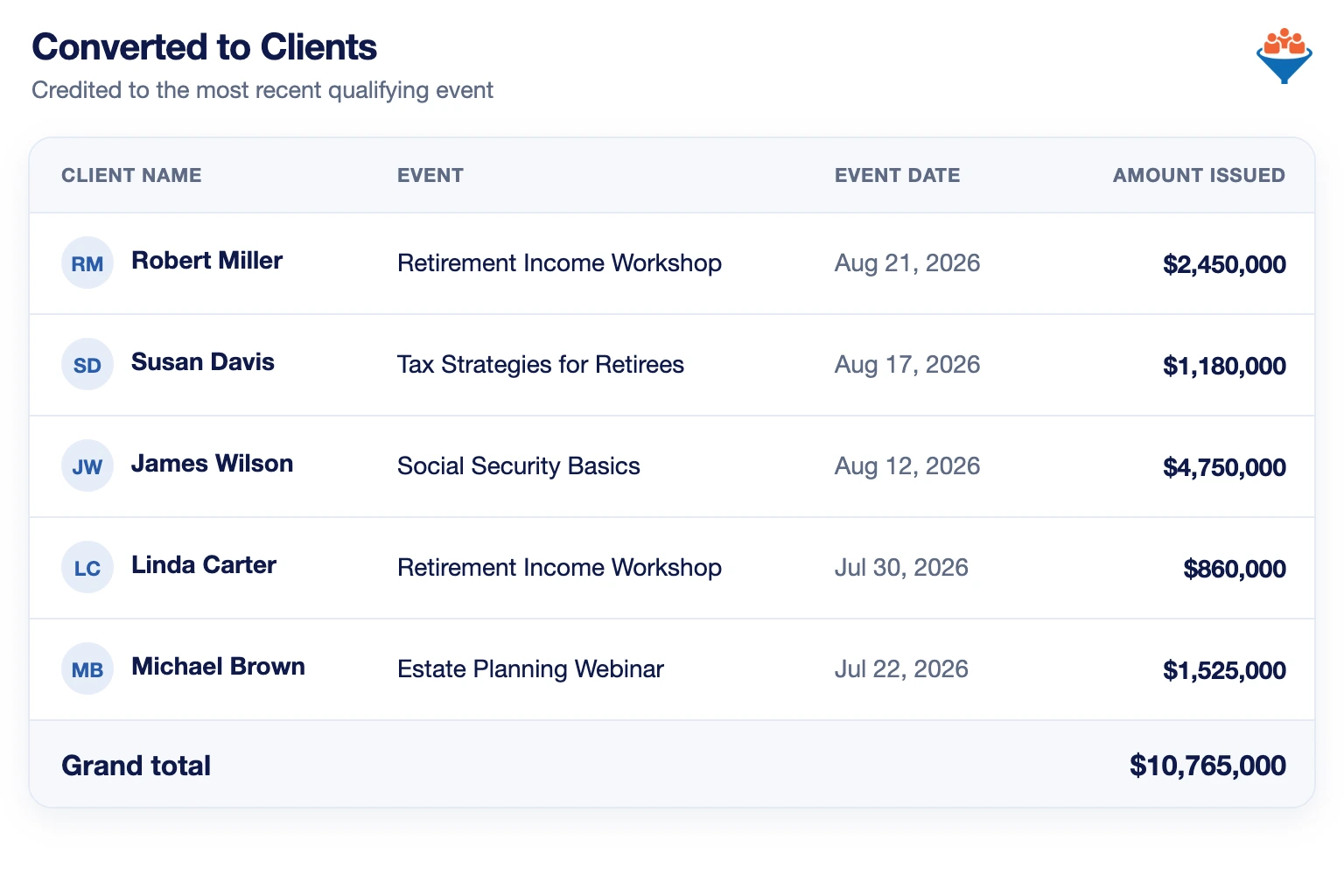
The Events Report lists attendees who became clients, the event credited and the amount issued. Only qualifying attendees count: Attended, Requested Appointment or Appointment Scheduled. If a client attended several events, the most recent qualifying one gets the credit, so nothing is counted twice.
Frequently asked questions
Where does the event report data come from?
From the events and attendees in LeadCenter’s event management, event costs entered in Marketing Expenses, first appointments booked with the category “1st Visit - Not A Client”, and financial accounts for production.
Which event reports are included in LeadCenter?
LeadCenter includes four built-in event reports: the Event Attendees Report, the Event Expenditure Report, the Event Performance Report and the Events Report, which brings all your events and seminars into one overview.
Can I see who attended, canceled or didn’t show up?
Yes. The Event Attendees Report lists attendees by status, such as attended, no-show, cancelled or waitlist, with the percentage for each.
Can I measure the ROI of my seminars?
Yes. The Event Performance Report adds up registrations, attendance, appointment requests and conversion rates, and calculates the ROI of your events.
Can I compare results by speaker, venue or topic?
Yes. The Event Performance Report breaks results down by month, day of the week, speaker, venue, topic and mail house.
Know Which Events Are Worth the Spend
See who showed up, what each event cost and which events turned attendees into clients, all in one place inside LeadCenter.
LeadCenter CRM, anywhere you go
Access your contacts, calendar, and tasks on the go with the LeadCenter mobile app for iOS and Android.


