
GoTo Connect Integration for Financial Advisors
Make and track calls directly from LeadCenter and automatically capture call activity in your CRM. Every conversation tied to the right contact for better follow-ups and pipeline growth.
 Click-to-Call from LeadCenter
 Calls Logged Automatically
 Inbound Calls Become Leads
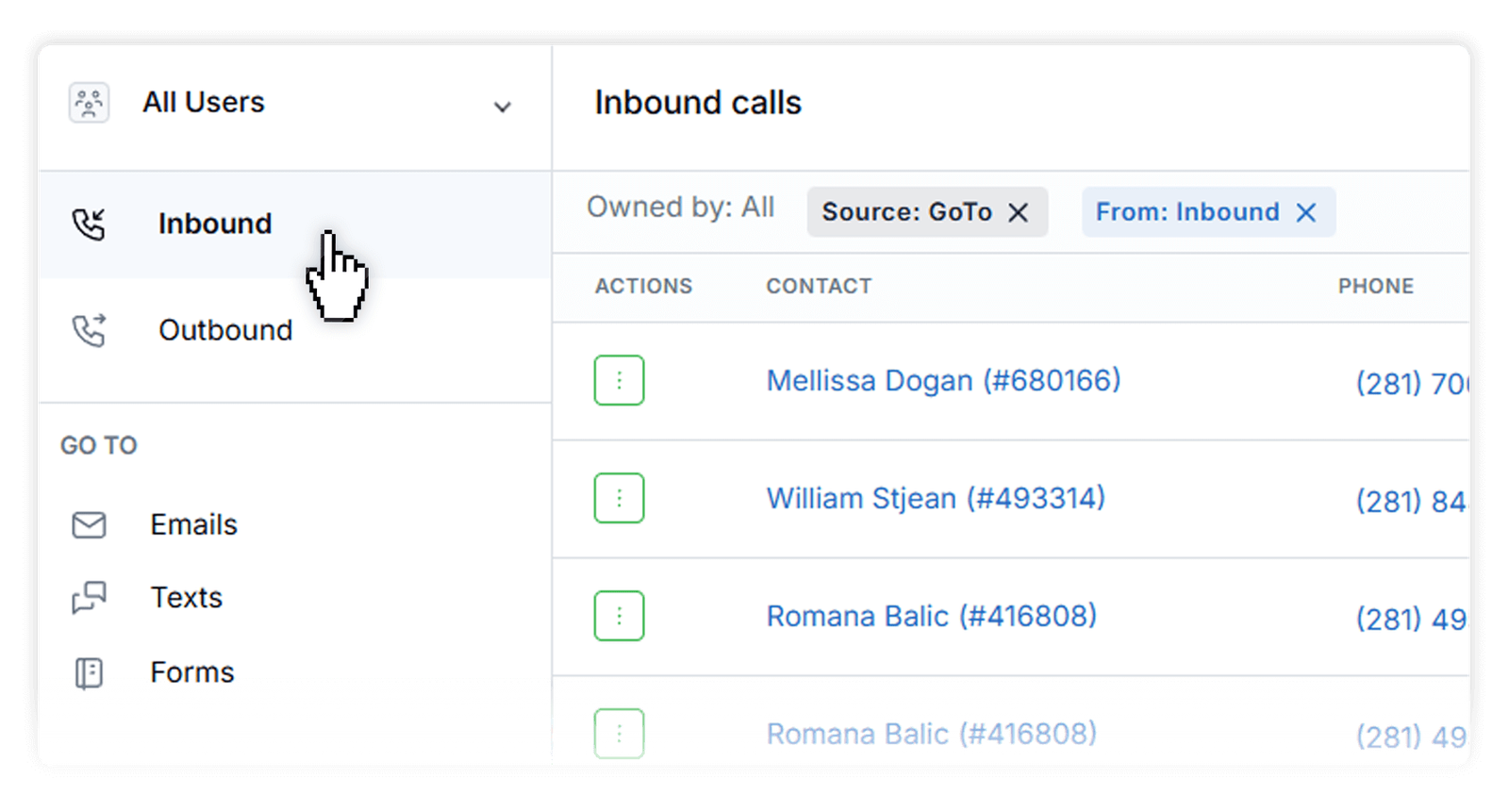
Automatically Capture Leads from Inbound Calls
When someone calls your office from a number that isn’t already in LeadCenter, a new lead can be created automatically and tagged as coming from GoTo Connect. Every inbound call becomes a trackable opportunity, not a missed follow-up.
Click-to-Call From Any Contact
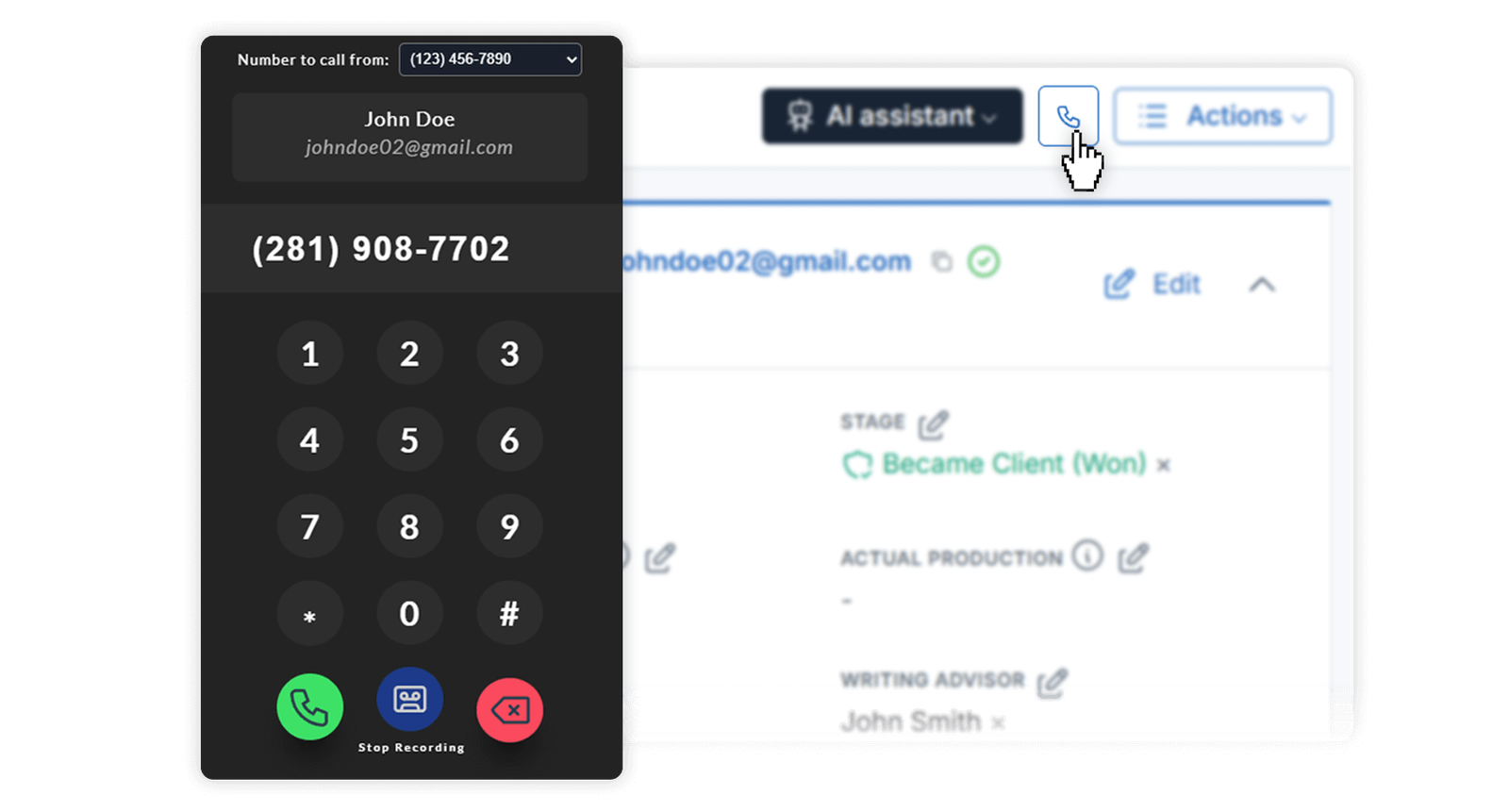
Call any lead, prospect, or client by clicking their phone number in LeadCenter. The call is placed using GoTo Connect, while your workflow stays centered inside the CRM.
Automatic Call Logging
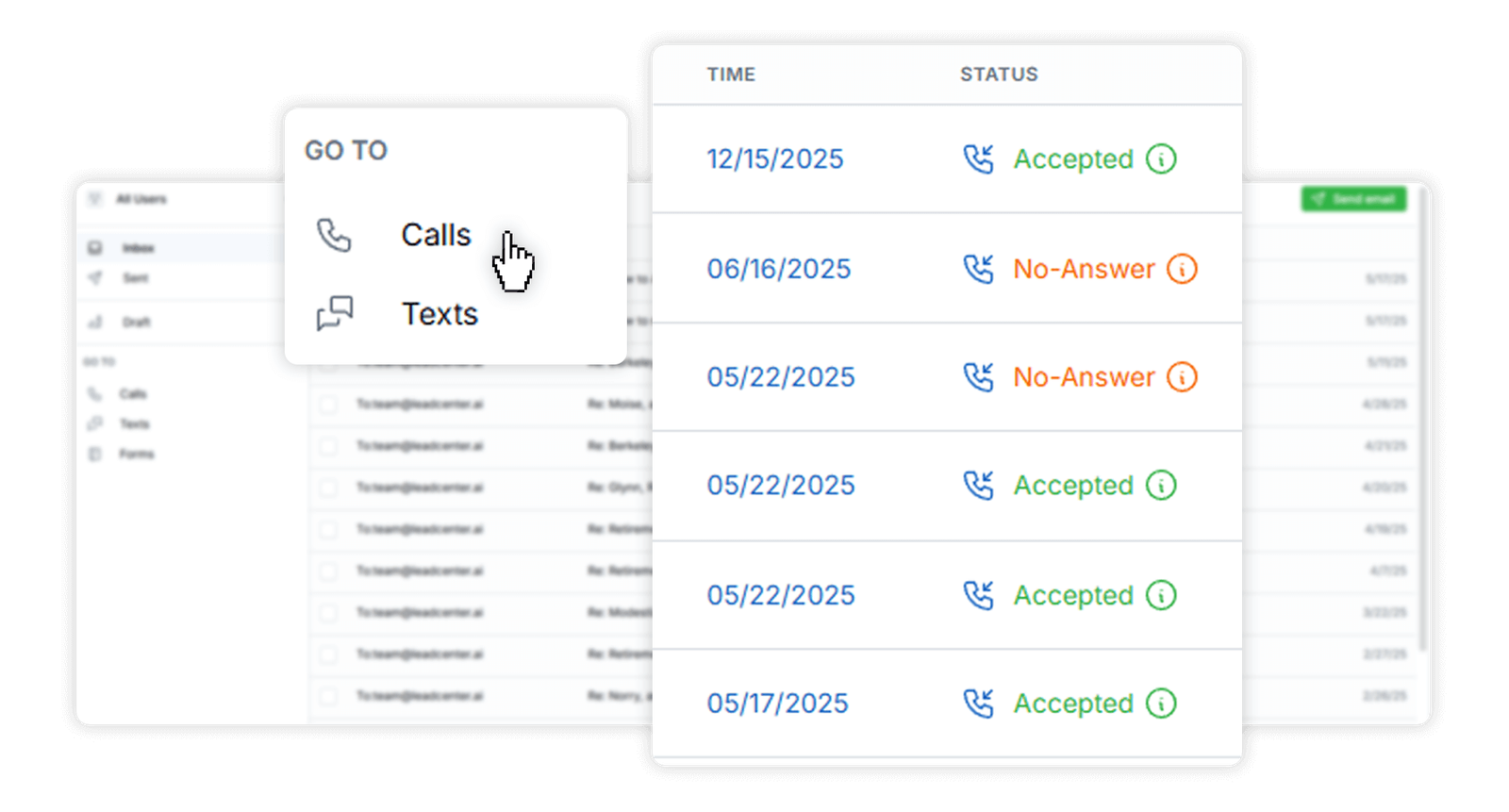
Inbound and outbound GoTo Connect calls are logged automatically on the contact timeline, including call time and duration, without any manual work from your team.
Call Recordings & Transcriptions, In Context
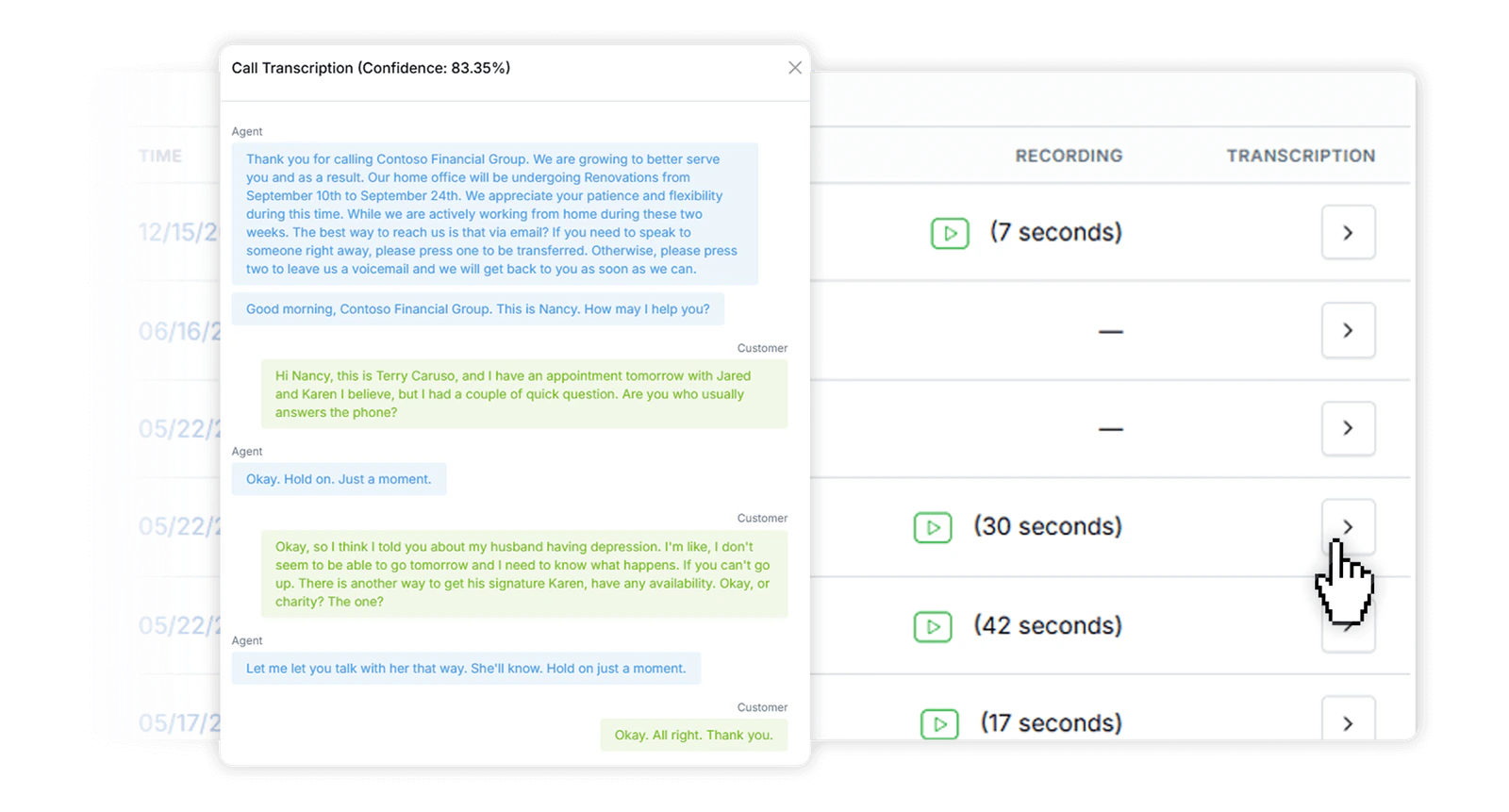
Review calls directly on the contact record with recordings and AI-generated transcriptions, so you can quickly recall conversations, prep follow-ups, and stay aligned across your team, without replaying entire calls.
Frequently asked questions
Can I make GoTo Connect calls from LeadCenter?
Yes. Clicking a phone number in LeadCenter opens GoTo Connect with the number pre-filled so you can start the call immediately.
Are GoTo Connect calls logged automatically?
Yes. Both inbound and outbound calls are logged automatically and tied to the correct contact record in LeadCenter.
Do call recordings and transcriptions appear in LeadCenter?
When call recording is enabled in GoTo Connect, recordings sync to LeadCenter. LeadCenter can also generate AI-powered transcriptions to help teams review conversations more efficiently.
What happens when someone calls from an unknown number?
LeadCenter can automatically create a new lead from the inbound call, making it easy to follow up and track opportunities.
Are internal calls logged?
No. Calls between GoTo Connect users within the same firm are excluded so your call history stays focused on client and prospect communication.
Bring Your Phone Calls into LeadCenter
Stop switching tools and piecing together conversations. With GoTo Connect integrated into LeadCenter, calls become part of the client record, not an isolated activity.
LeadCenter CRM, anywhere you go
Access your contacts, calendar, and tasks on the go with the LeadCenter mobile app for iOS and Android.


