
Effortless Zoom Meetings for Financial Advisors
Simplify client meetings and follow-ups with seamless Zoom scheduling, automated summaries, and task automation.

 One-Click Zoom Integration
 AI-Generated Meeting Notes
 Follow-Up Task Automation
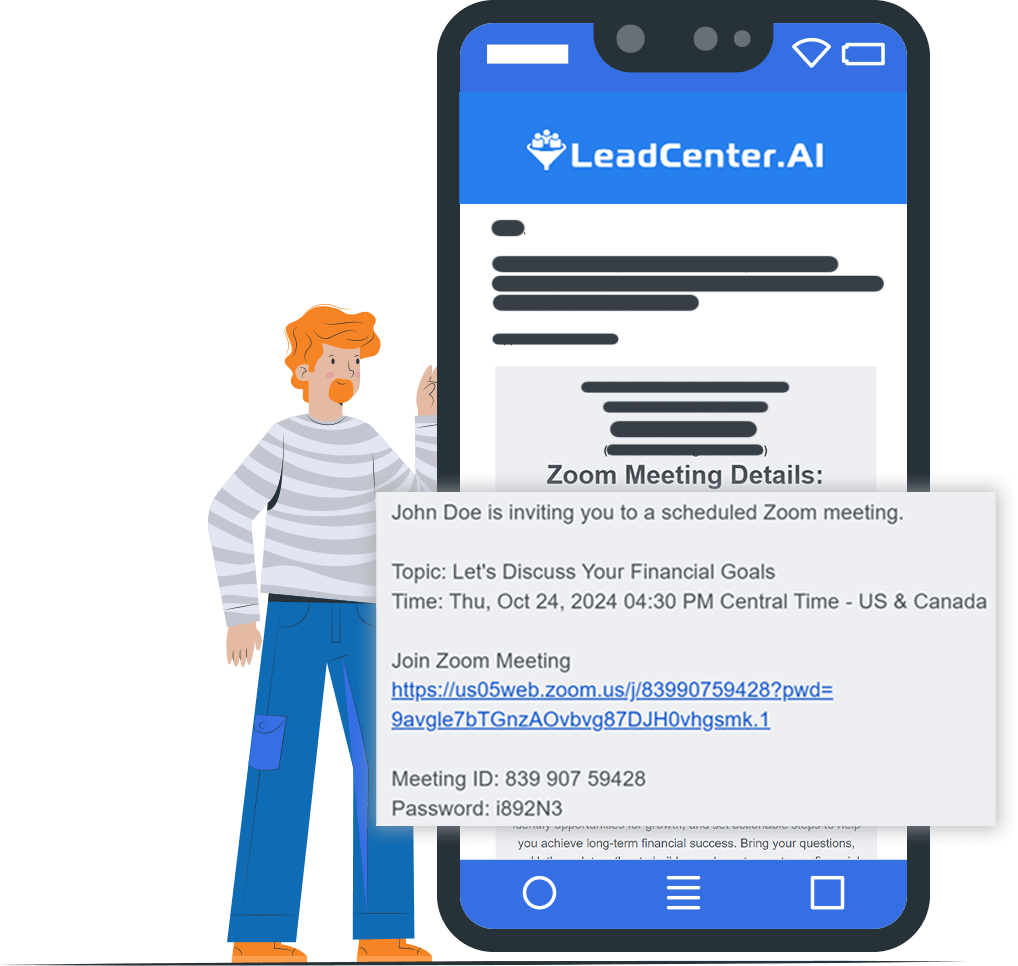
Automate Zoom Scheduling
Save time by automatically generating Zoom meeting links when scheduling client calls in LeadCenter. Both you and your client will receive the meeting details via email and calendar invites, eliminating manual setup.
Capture AI-Powered Meeting Summaries
After each Zoom meeting, the AI Companion creates a detailed meeting summary. These notes are automatically added to LeadCenter, helping you track key discussions without manual input.

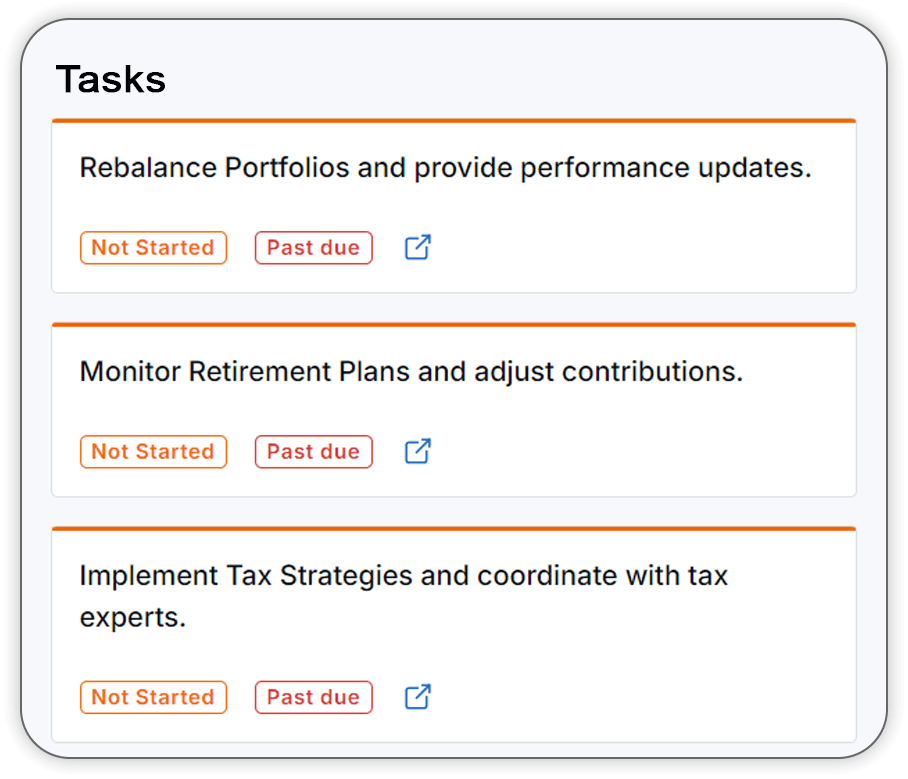
Automate Follow-Up Tasks
Convert meeting insights into action. The AI Companion generates follow-up tasks based on the meeting, assigning them directly in LeadCenter, so you never miss a client follow-up.
Frequently asked questions
How does Zoom integration simplify my meeting scheduling?
When you schedule a client meeting in LeadCenter, simply select Zoom as the meeting location, and a Zoom meeting link will be generated automatically. Both you and your invitee will receive the meeting details via email and calendar invites, saving you the hassle of manually setting up and sharing video links.
Can I use Zoom for client meetings booked through my public scheduler?
Yes! Clients can book Zoom meetings through your public scheduler, and the system will automatically send Zoom details to both parties. The meeting will also be listed in your Zoom account under Upcoming Meetings, keeping everything organized for you.
What is the Zoom Meeting Summary AI Companion, and how does it help me?
The Zoom Meeting Summary AI Companion captures key points from your meetings and automatically generates a summary, which is saved as a note in LeadCenter. It also creates follow-up tasks based on the discussion, helping you stay on top of important client actions without manual note-taking or task creation.
How do I ensure that follow-up tasks are created after Zoom meetings?
Once you enable the Zoom Meeting Summary AI Companion in your LeadCenter settings, it will automatically generate follow-up tasks based on the discussion in your meeting. These tasks are added directly to your calendar, helping you stay organized without extra effort.
Unlock the Power of Seamless Zoom Meetings in LeadCenter
Say goodbye to manual scheduling, note-taking, and task management. With LeadCenter’s Zoom integration, you can effortlessly schedule meetings, capture AI-powered summaries, and automate follow-ups—all in one place.
LeadCenter CRM, anywhere you go
Access your contacts, calendar, and tasks on the go with the LeadCenter mobile app for iOS and Android.


