
Meta Lead Ads Integration for Financial Advisors
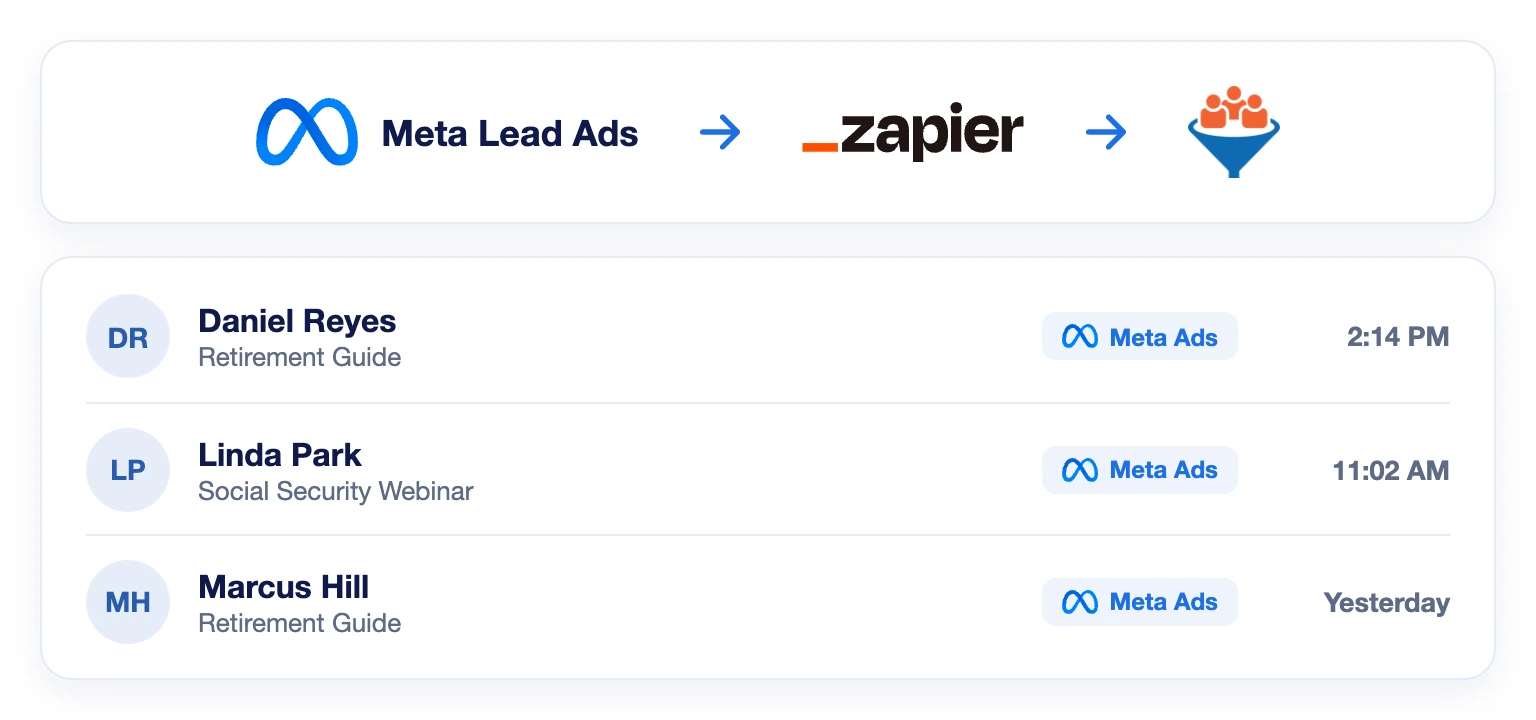
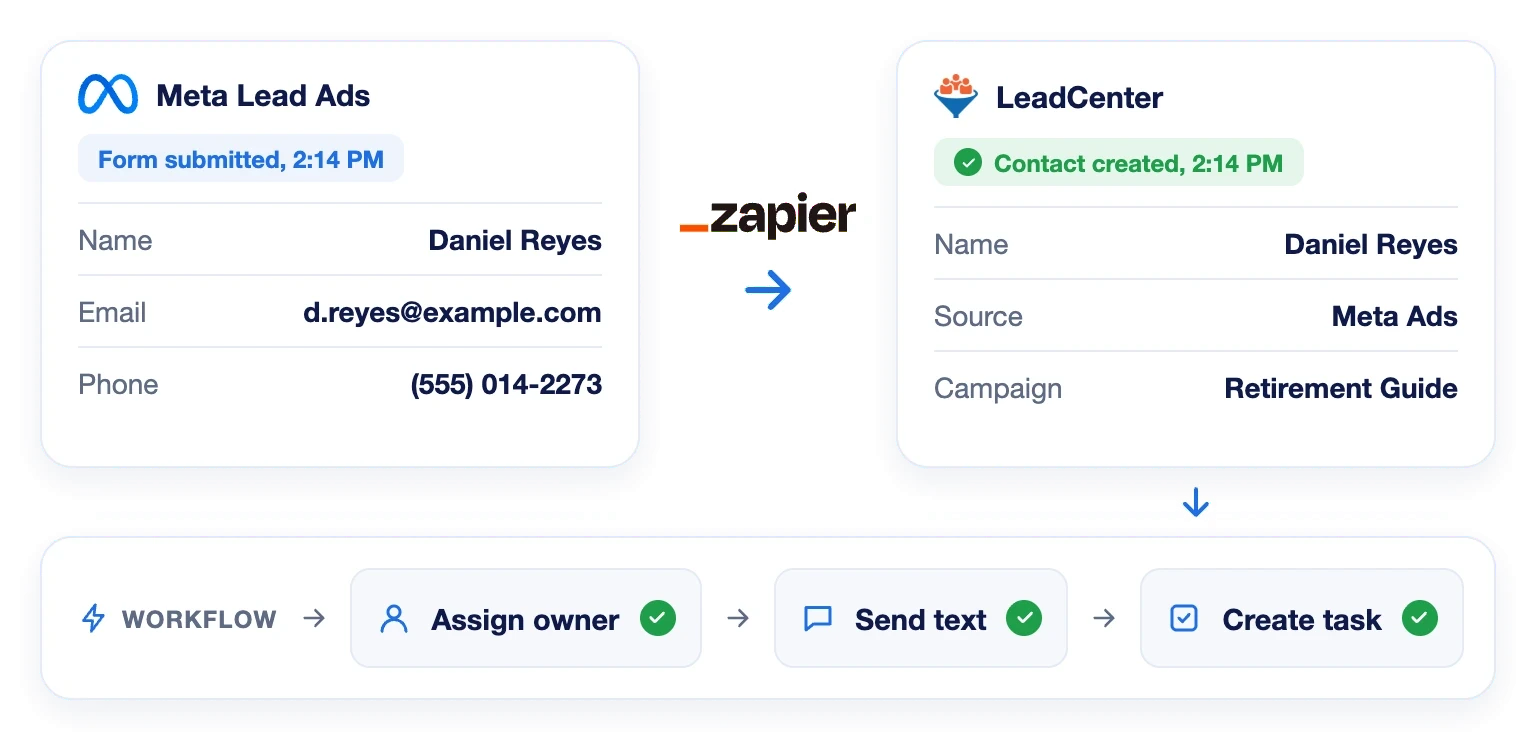
Every Meta Lead Ads form fill becomes a LeadCenter contact through Zapier, with Meta Ads as its source, so your team can follow up right away.
 Contacts Saved Automatically
 Results by Source
 Follow-Ups Ready to Send
Every Form Fill Becomes a Contact
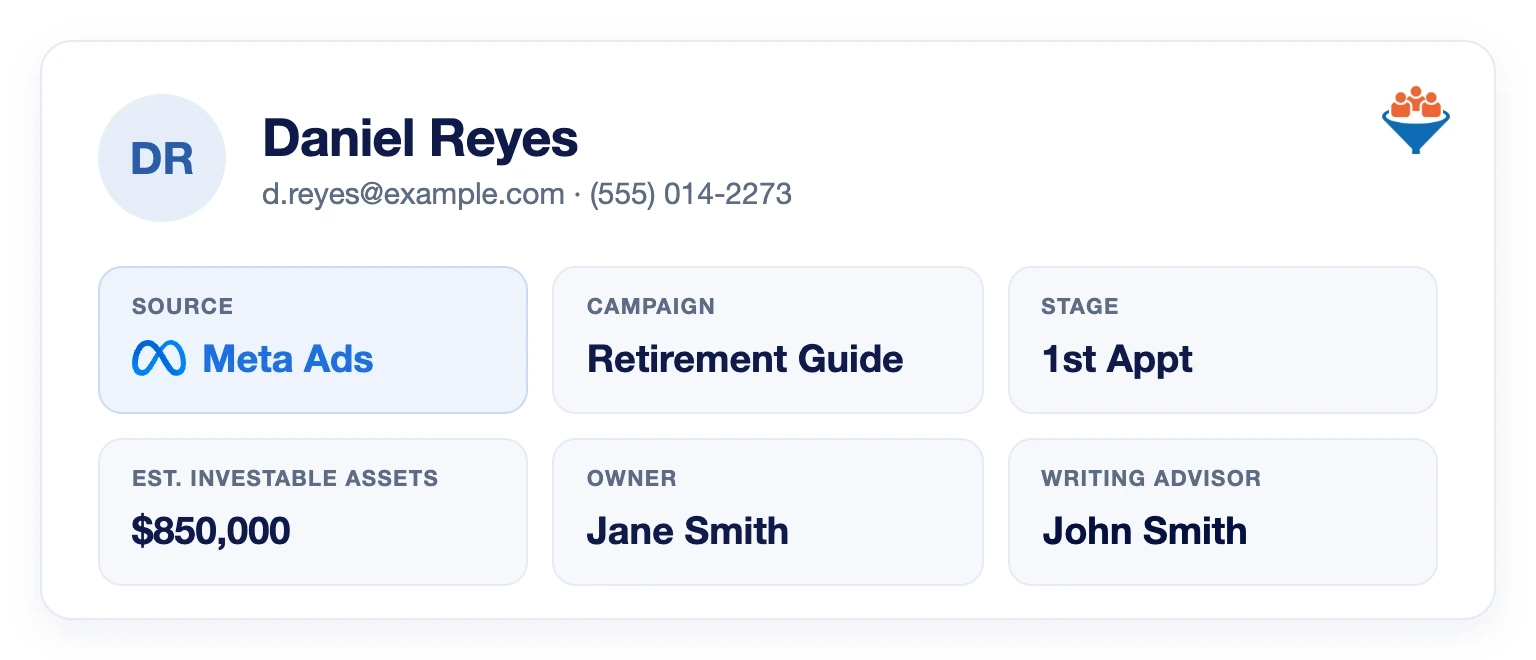
Name, email, phone and any form answers you map land on one contact record, with Meta Ads as the source and the campaign that brought them in.
Follow Up the Moment They Ask
A Contact Created workflow can send a welcome email or text and create a call task for your team as soon as the new contact arrives.
See Which Meta Campaigns Bring Clients
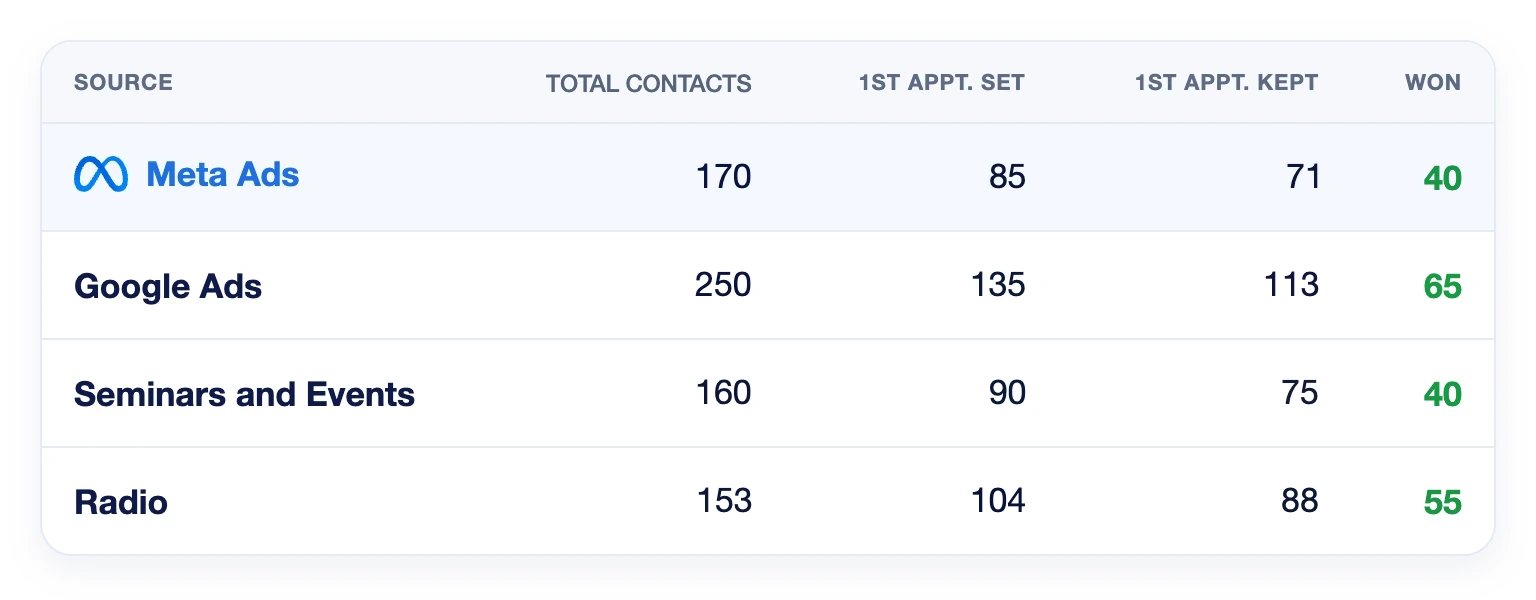
Your sources report shows contacts, first appointments set and kept, and clients won for Meta Ads next to every other source, so you can see where your ad budget pays off.
Personal Follow-Ups, Written for You
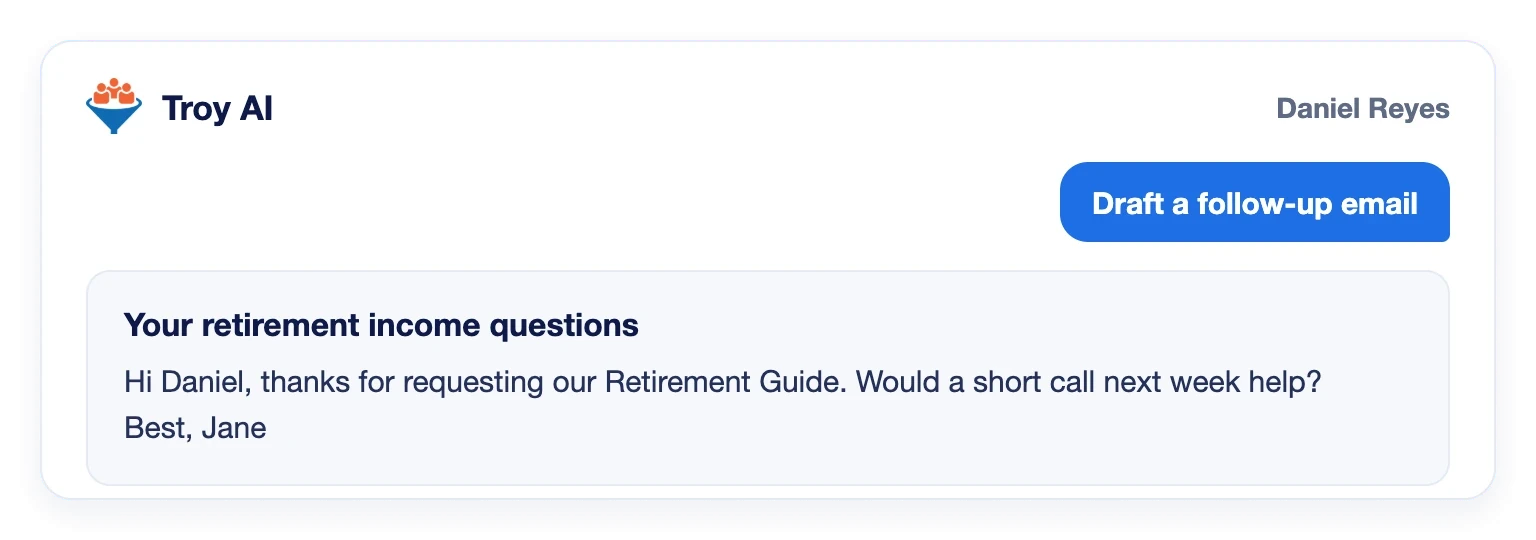
Troy AI drafts a follow-up email from what the contact told you on the form, ready for you to review and send.
Frequently asked questions
How do Meta Lead Ads get into LeadCenter?
Through Zapier. Your Zap runs Find Contact first, then updates the contact if it exists or creates a new one, so you avoid duplicates. You connect Zapier with a personal access token from Integrations.
Can I see which Meta Ads campaigns turn into clients?
Yes. Set the source to Meta Ads and map the campaign in your Zap. Your reports then show contacts, first appointments and clients won by source.
Can I track what each new client from Meta Ads costs?
Yes. Record your Meta Ads spend in LeadCenter and the marketing ROI report shows cost per client, amount issued and ROI next to your other sources.
What happens after a new Meta Ads contact arrives?
Your team can get an email alert, a Contact Created workflow can send the first email or text and create a task, and Troy AI can draft a personal follow-up for you to review.
Turn Meta Ads Into Clients
See how LeadCenter captures, follows up and reports on every Meta Ads contact.
LeadCenter CRM, anywhere you go
Access your contacts, calendar, and tasks on the go with the LeadCenter mobile app for iOS and Android.


