
Sales Reports for Financial Advisors
Six sales reports follow every contact from first touch to client, show what your team does each day, and flag the clients who leave.
 Pipeline to Client
 Team Activity
 Client Retention
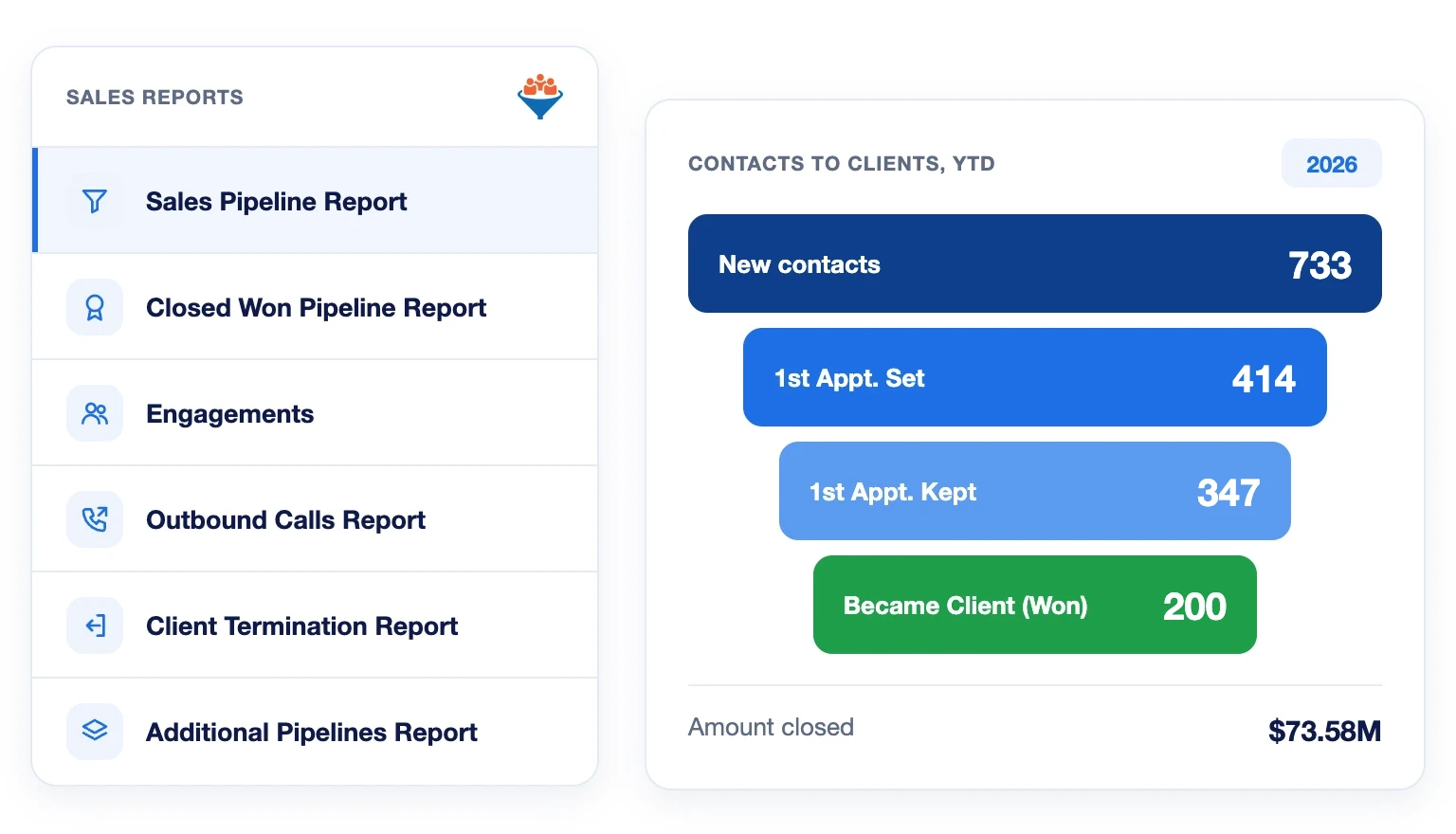
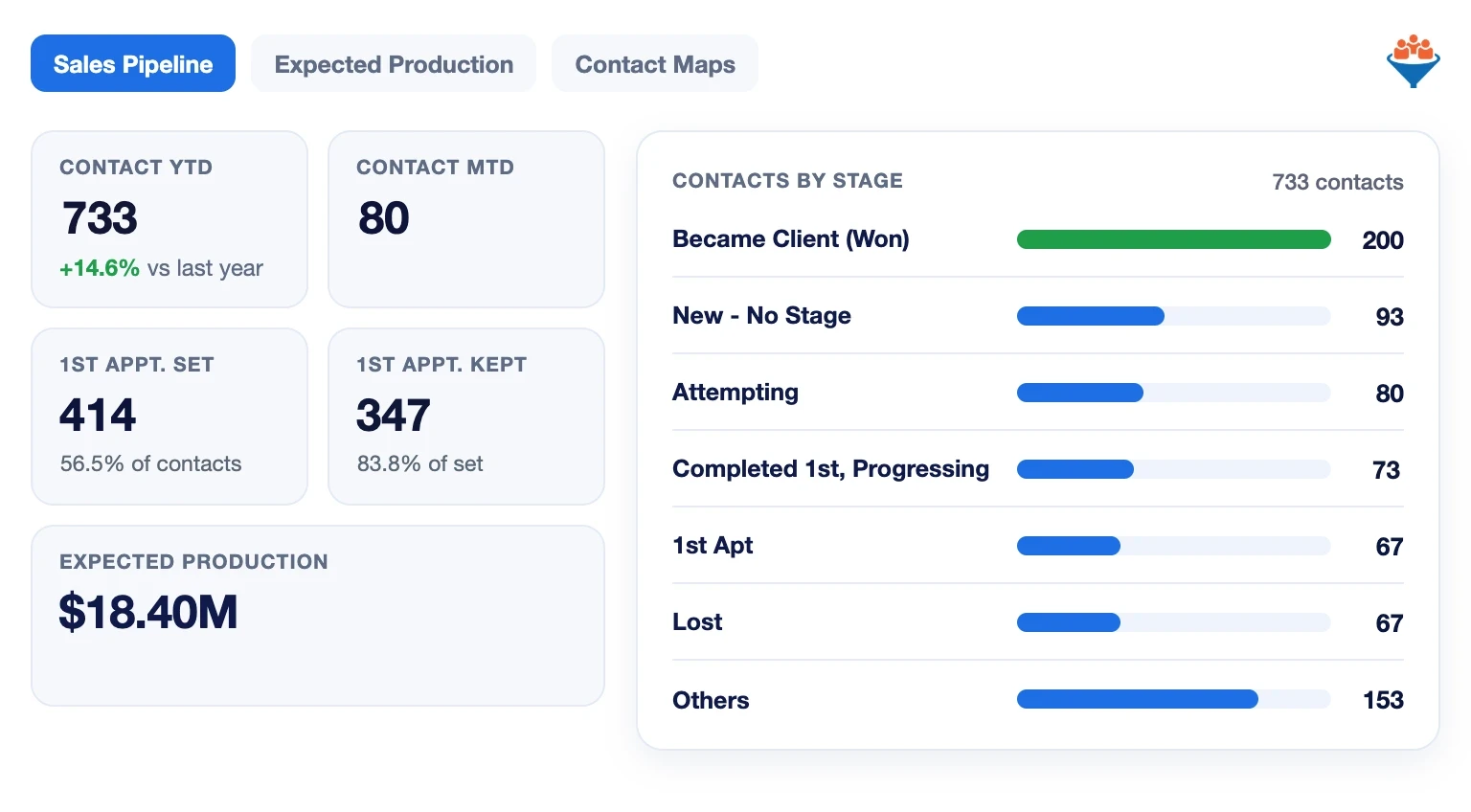
See Every Contact from Source to Client
The Sales Pipeline Report counts new contacts by source and stage, with 1st appointments set and kept. Extra tabs show expected production and a map of where contacts live.
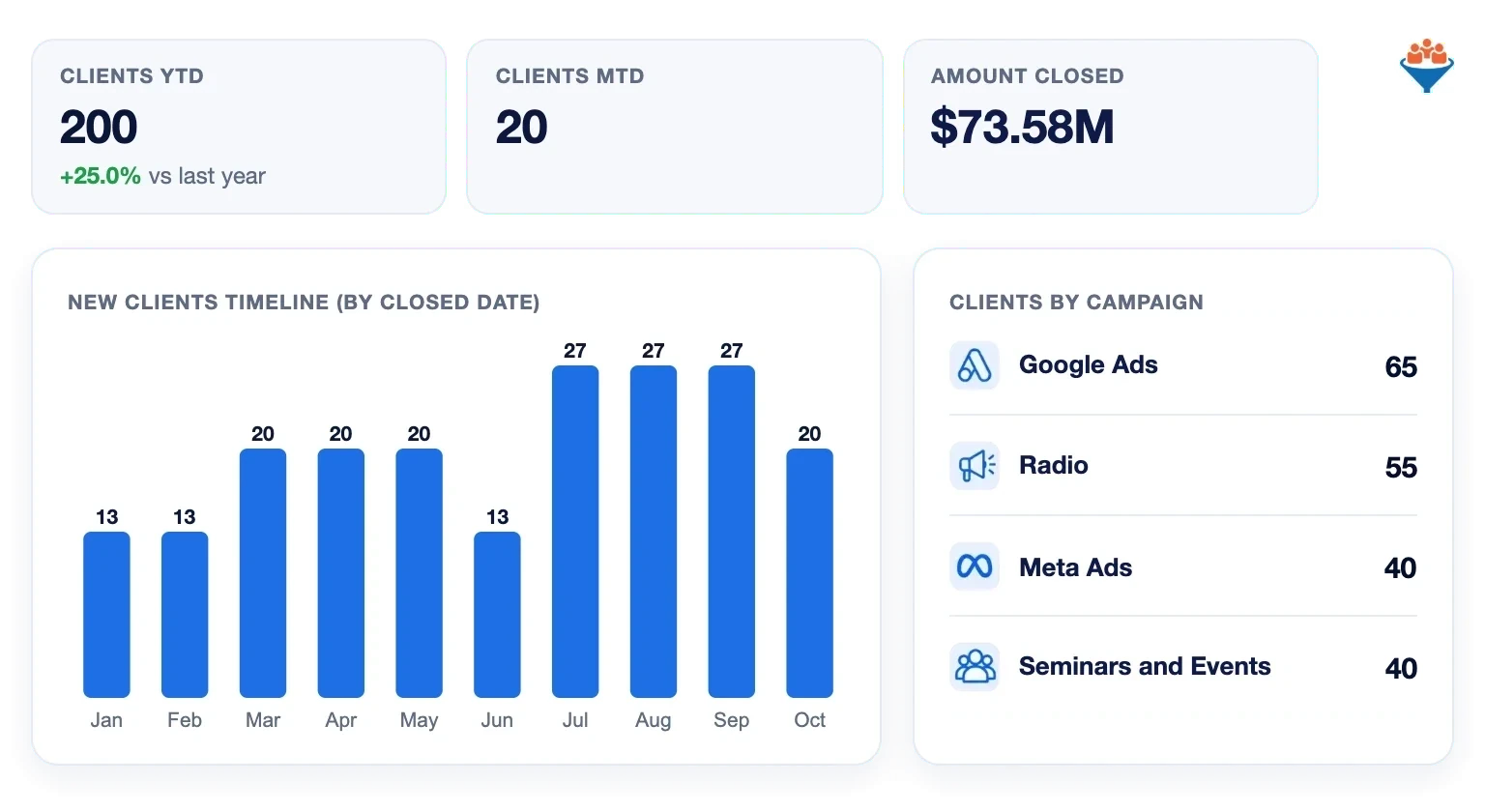
Know Who Became a Client and When
The Closed Won Pipeline Report lists every new client by closed date, with the campaign that brought them in and the amount issued, pending and forecasted.
See Every Touch With Every Contact
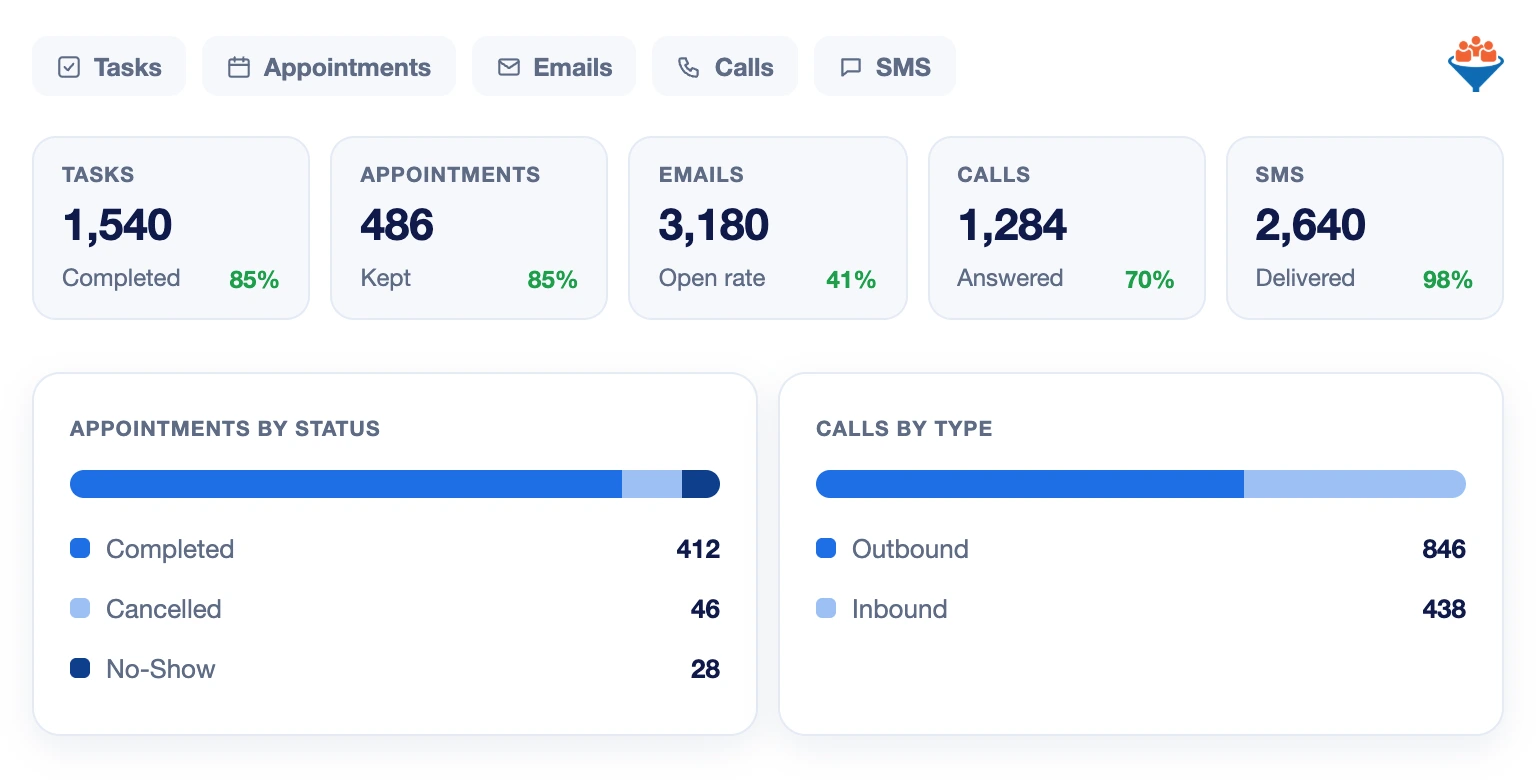
The Engagements report puts tasks, appointments, emails, calls and texts in one place, with a tab for each and charts by user, status and source.
Track Outbound Calls by User
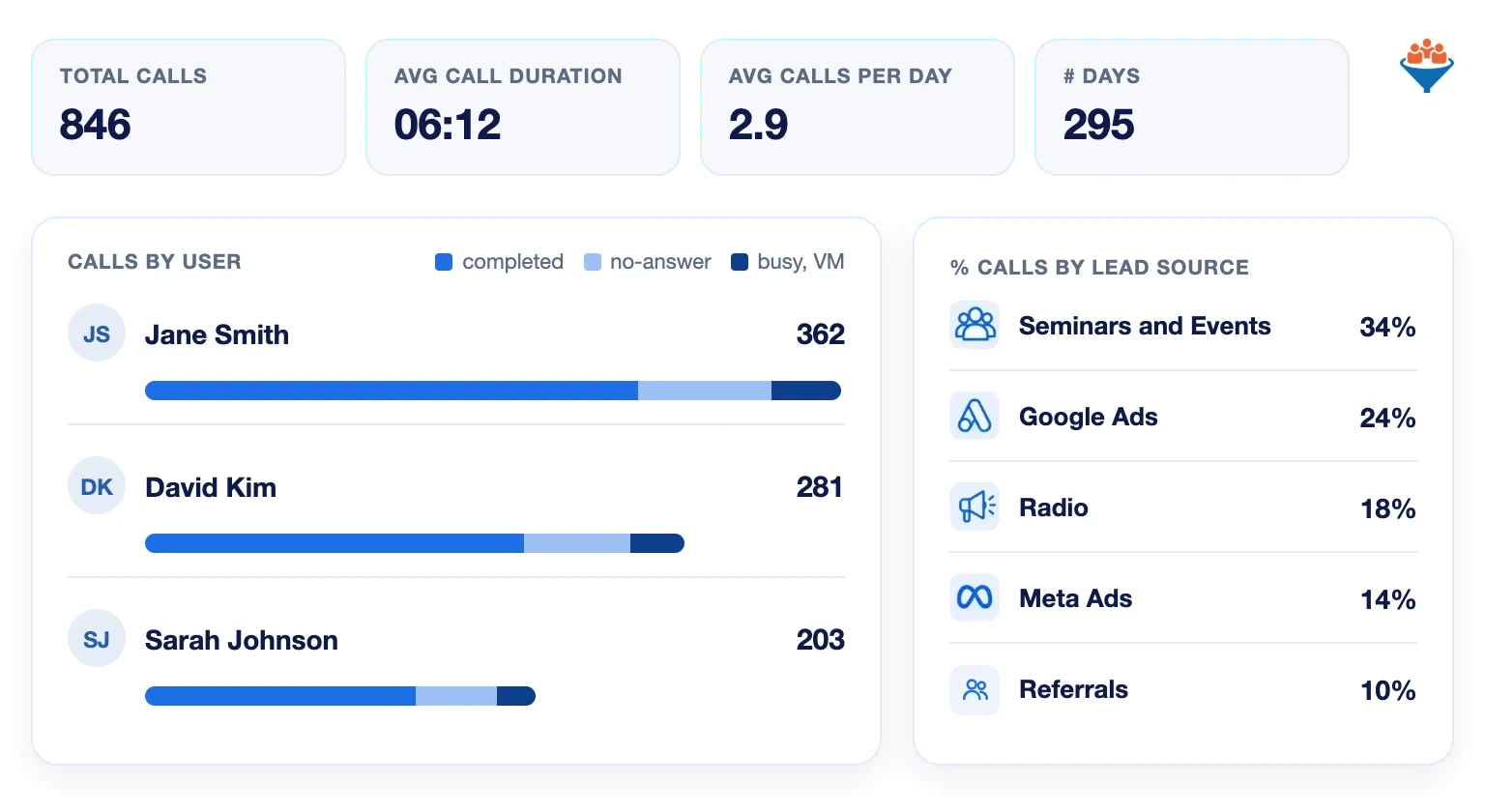
The Outbound Calls Report shows total calls, average call length and calls per day, split by user, call status and the source of each contact.
Spot Clients Who Leave, and Why
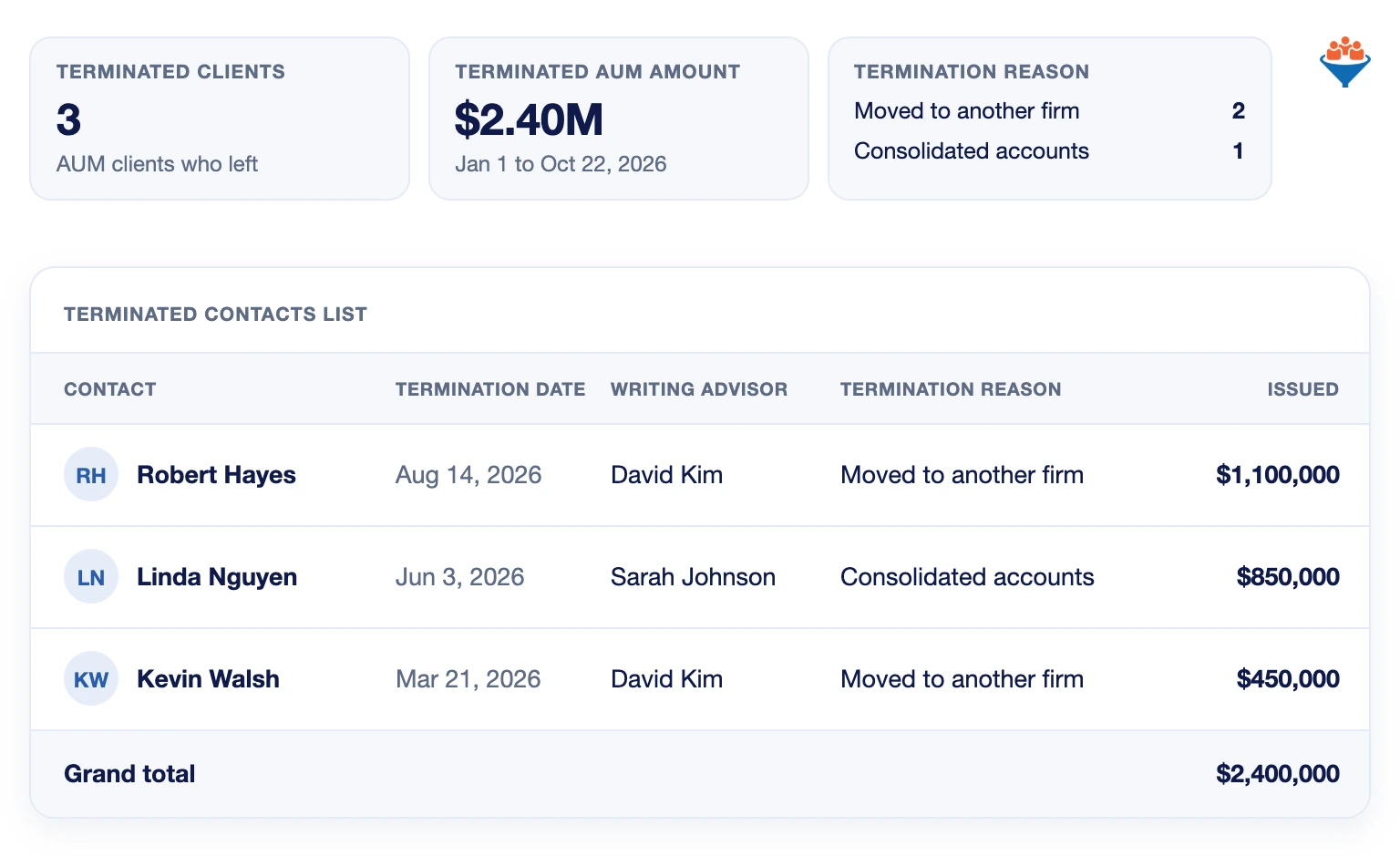
The Client Termination Report counts AUM clients who ended the relationship and withdrew funds, with the AUM lost, the reason and the advisor.
Frequently asked questions
How often do the reports update, and can I export them?
Every 15 minutes. Download PDF saves the current view, and tables can be exported to CSV from their menu.
Which sales reports are in LeadCenter?
Six reports: the Sales Pipeline Report, Closed Won Pipeline Report, Engagements, Outbound Calls Report, Client Termination Report and Additional Pipelines Report.
Which date does each report use?
The Sales Pipeline Report uses the contact creation date, the Closed Won Pipeline Report the closed date, the Client Termination Report the termination date and the Outbound Calls Report the call date.
What is Expected Production?
A dollar estimate saved on each contact. The Expected Production tab of the Sales Pipeline Report totals it by source and stage.
Can I track other pipelines?
Yes. The Additional Pipelines Report lists the items in your additional pipelines by stage, owner and value.
Where do termination reasons come from?
From the termination date and reason saved on each contact. You manage the list of reasons under Settings, Database Lists, Termination reasons.
See Your Whole Sales Pipeline in One Place
Track contacts, new clients, team activity and client retention inside LeadCenter.
LeadCenter CRM, anywhere you go
Access your contacts, calendar, and tasks on the go with the LeadCenter mobile app for iOS and Android.


