
Smarsh + LeadCenter: Automated Archiving for Recordkeeping
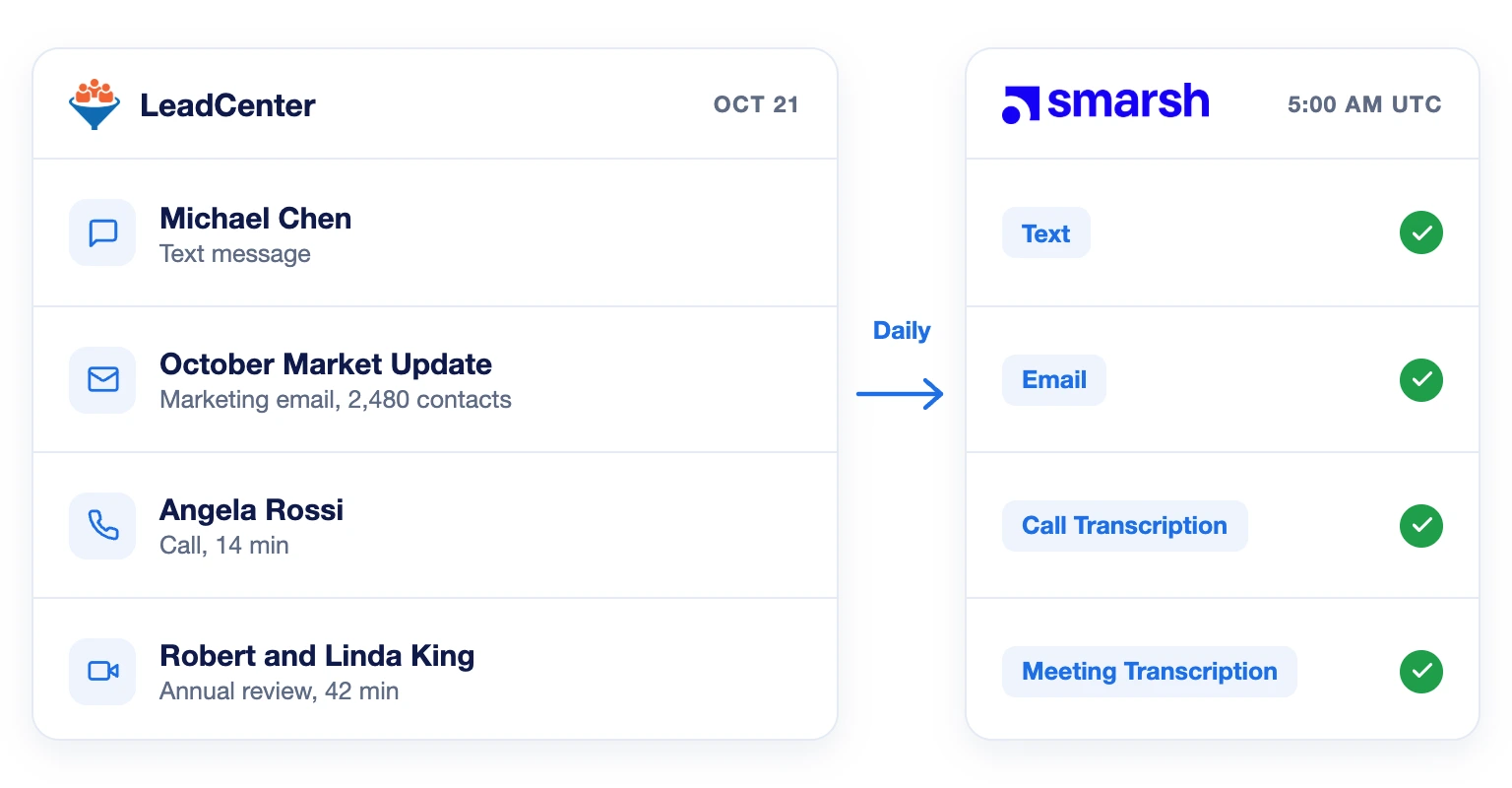
Send texts, marketing emails, and call and meeting transcriptions from LeadCenter to Smarsh Professional Archive every day, each one labelled by type.
 Texts and Marketing Emails
 Call and Meeting Transcriptions
 Daily Automatic Archive
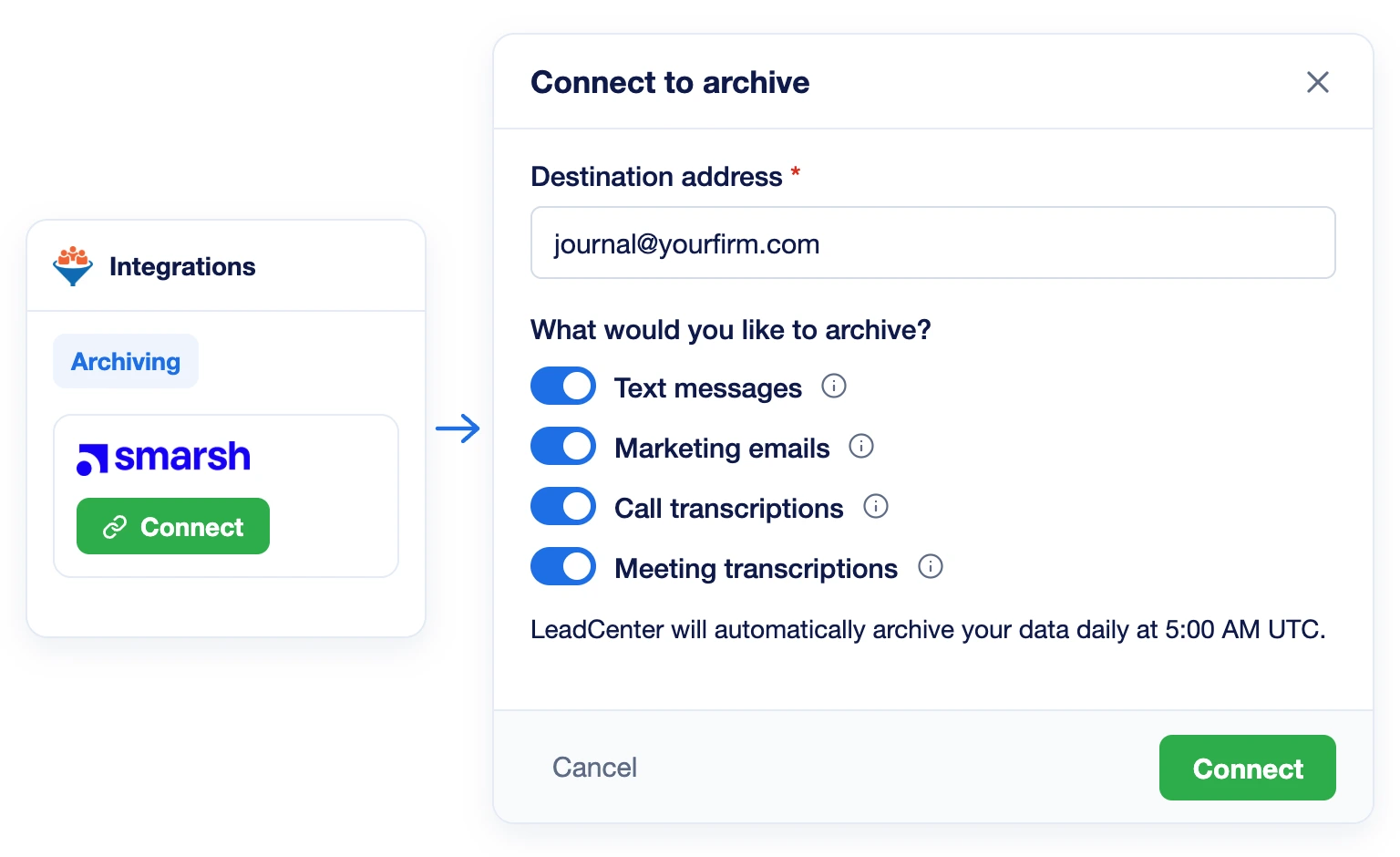
Choose What Gets Archived
Connect Smarsh under Integrations > Archiving and enter your Smarsh journal address. Turn each archive type on or off, and change it later in Settings.
Every Record Labelled for Smarsh
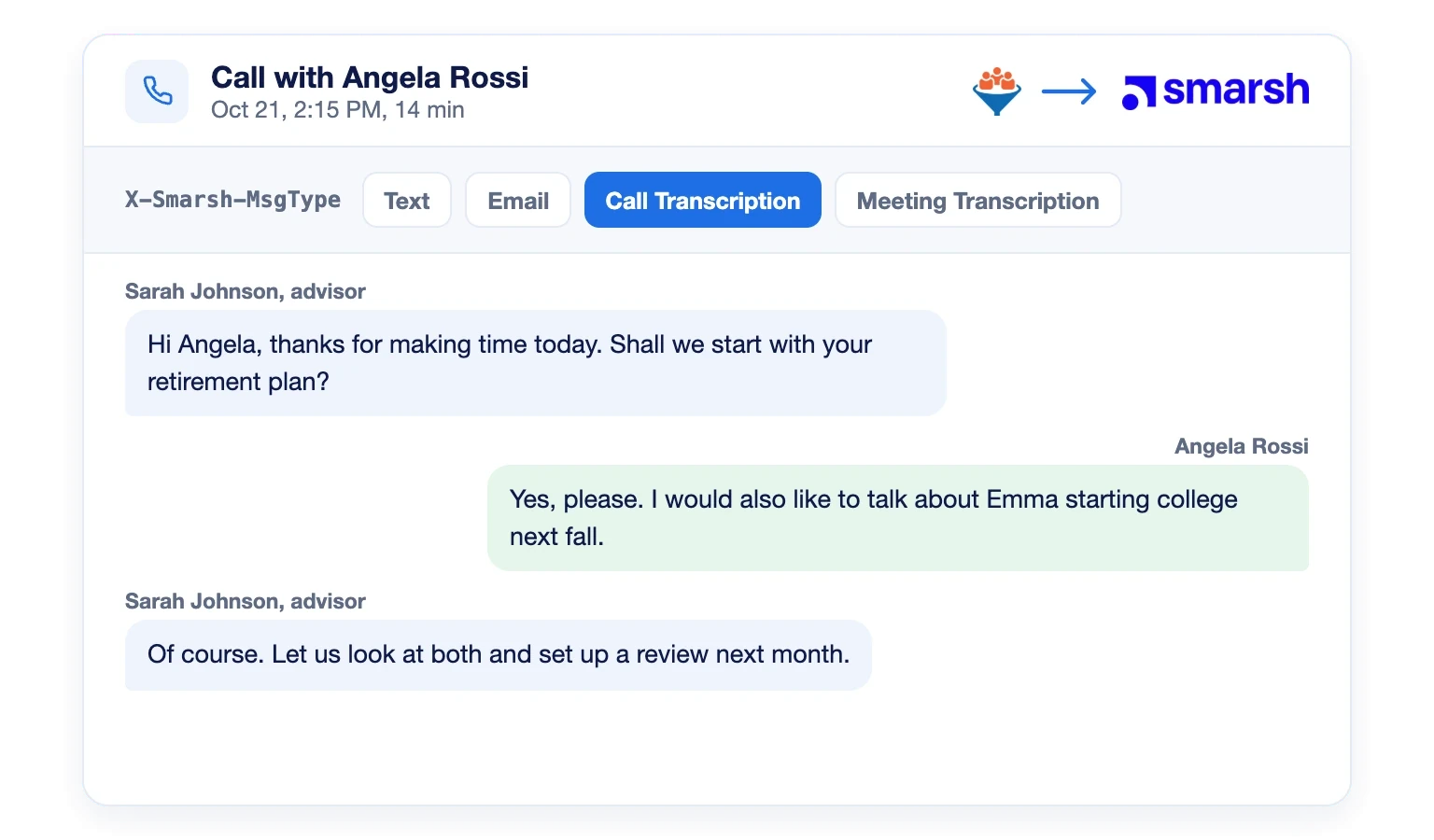
Each archive email tells Smarsh what it holds: Text, Email, Call Transcription or Meeting Transcription. Your Smarsh administrator may need to map these values.
Calls and Meetings, Not Just Texts
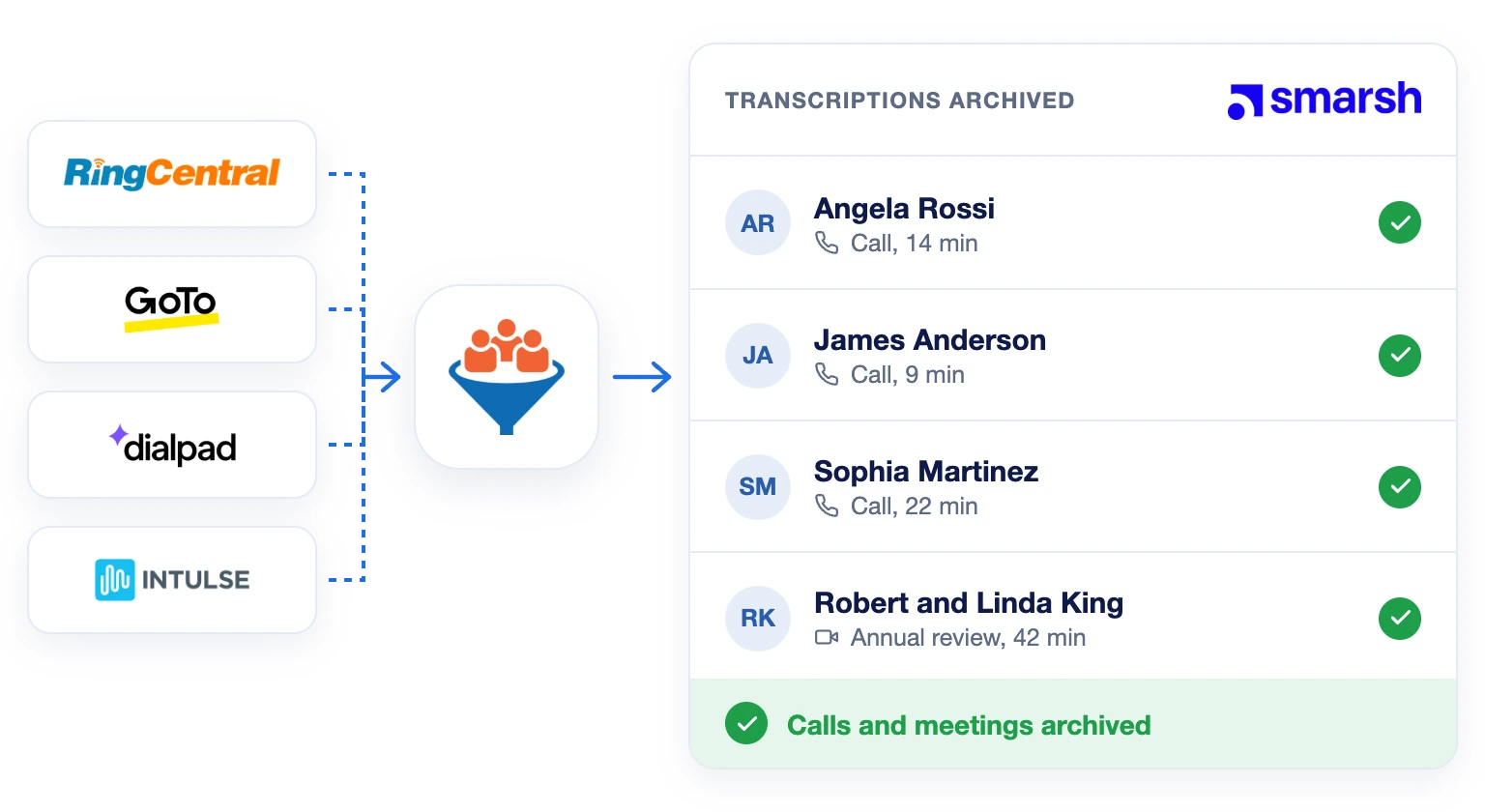
Call transcriptions from LeadCenter Phone, RingCentral, GoTo Connect, Dialpad, Intulse and Zoom Phone, plus meeting transcriptions, reach Smarsh even if a Claudia retention policy later deletes them.
Runs Every Day on Its Own
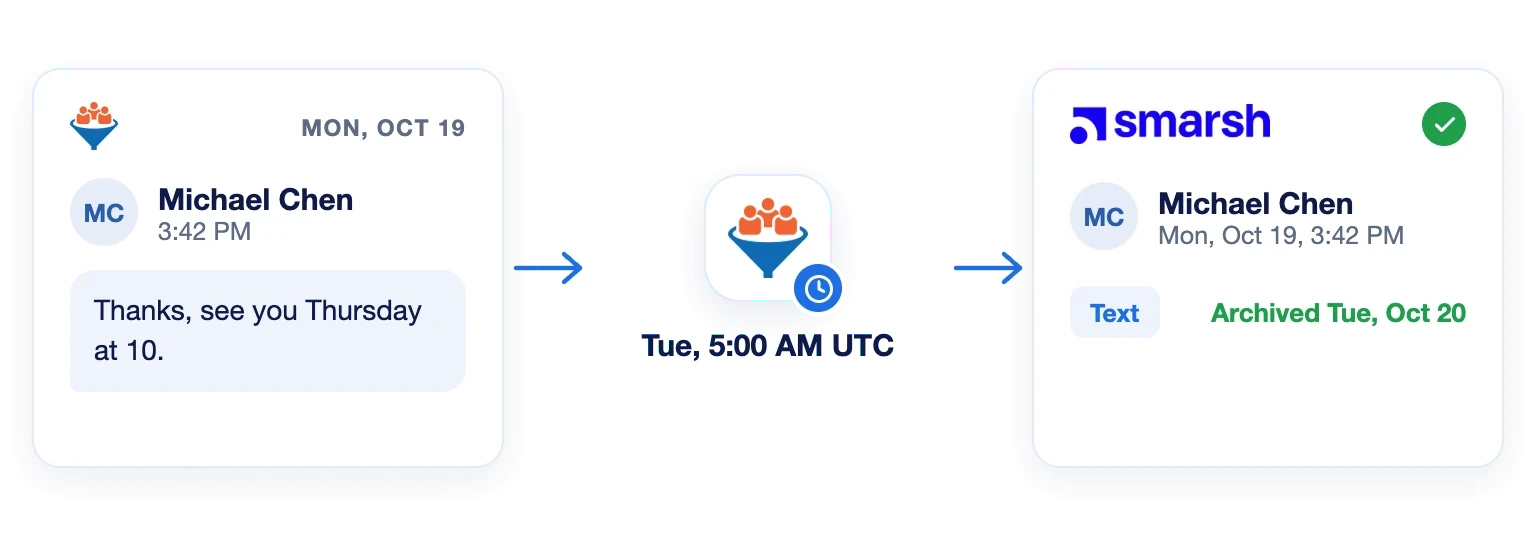
Every day at 5:00 AM UTC, LeadCenter sends the previous day’s communications to Smarsh. Older records can be exported from LeadCenter reports and uploaded.
Frequently asked questions
What does LeadCenter send to Smarsh?
Text messages, marketing emails, call transcriptions and meeting transcriptions. You choose which types to turn on and can change them later in Settings on the Smarsh card.
How do I connect Smarsh to LeadCenter?
Go to Integrations > Archiving and click Connect on the Smarsh card. Enter your Smarsh journal address as the destination address, choose the archive types and click Connect. LeadCenter checks that the address can receive email.
How does Smarsh tell texts, emails and transcriptions apart?
Each record is labelled by type: Text, Email, Call Transcription or Meeting Transcription.
When does LeadCenter send records to Smarsh?
Every day at 5:00 AM UTC, for the previous day’s communications. Users whose permissions allow it can also run a manual sync from the integrations page.
Are records from before I connected archived?
No. Archiving starts on the date you connect. To archive older records, export them from LeadCenter reports and upload them to Smarsh.
Can I use Smarsh and Greenboard at the same time?
No. Only one archive integration can be active at a time. To switch, disconnect the current one first.
Effortless Recordkeeping Starts Here
Archive texts, marketing emails, calls and meetings to Smarsh automatically, every day.
LeadCenter CRM, anywhere you go
Access your contacts, calendar, and tasks on the go with the LeadCenter mobile app for iOS and Android.


