
Production Tracking for Financial Advisors
See issued, pending and forecasted production for insurance, annuities and AUM, by advisor and by month, in one report.
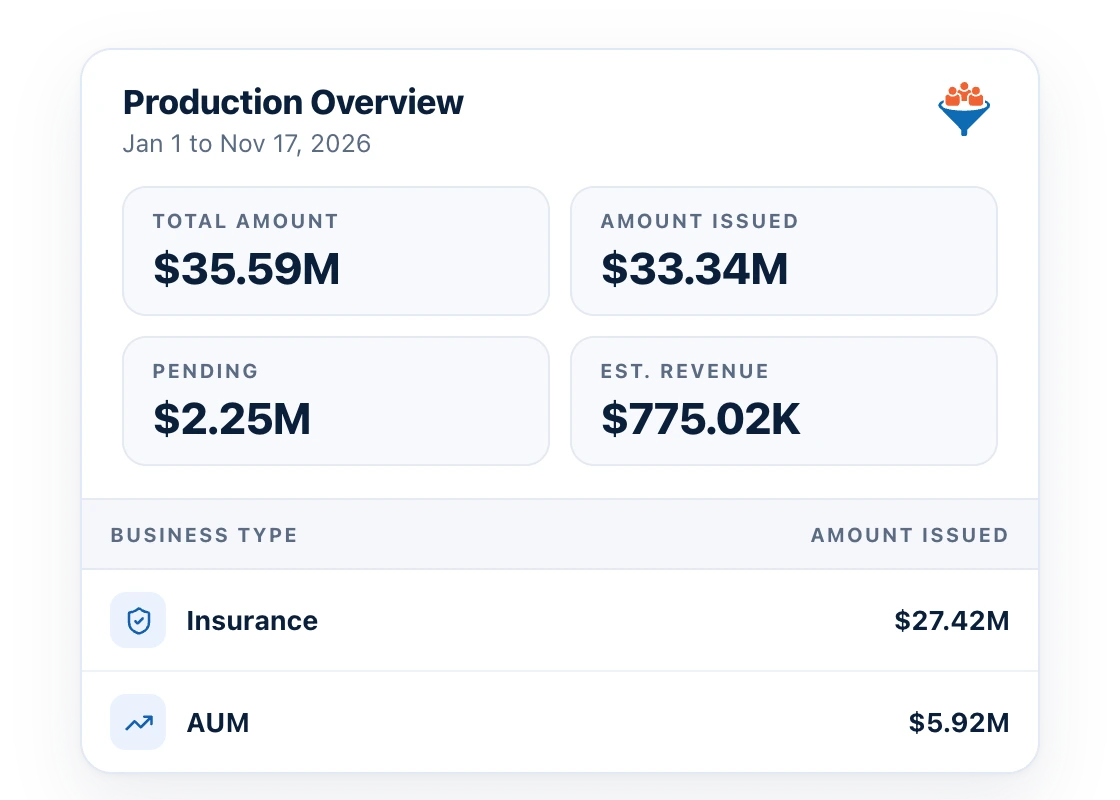
 Production by Status
 Production by Advisor
 Month-by-Month Trends
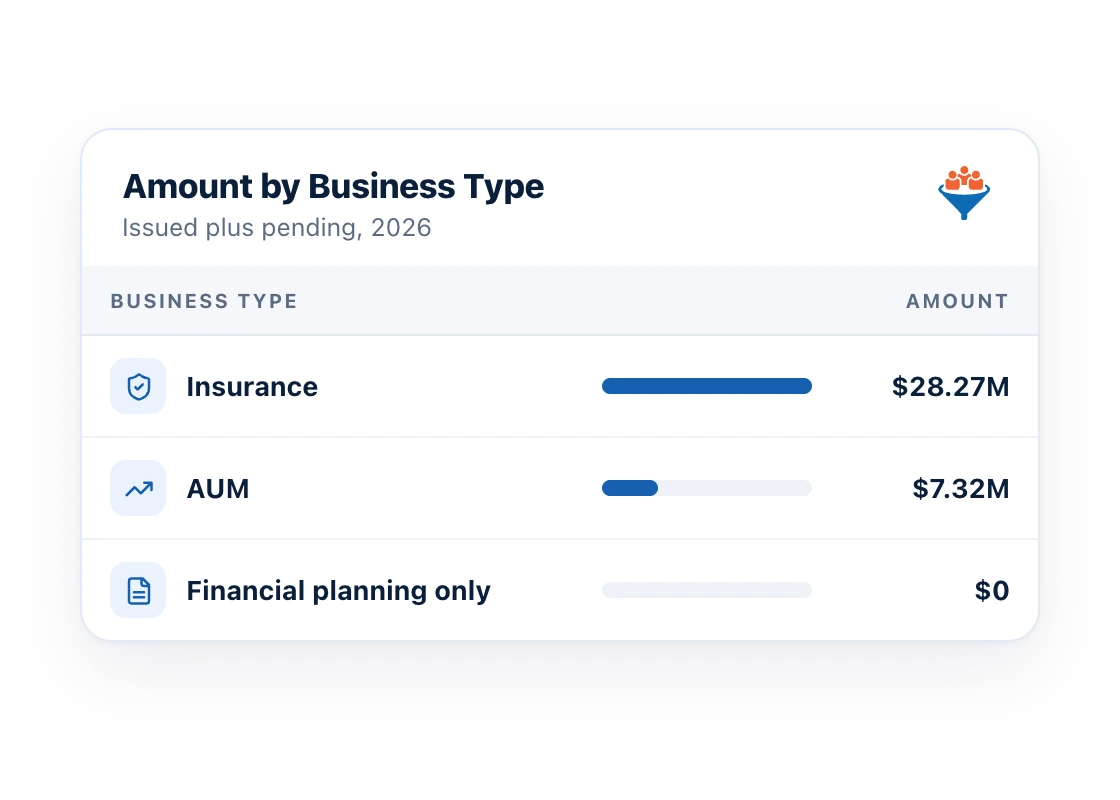
Track Production by Status
See the total amount issued, pending and forecasted, then split it by business type: insurance, AUM and financial planning. Filter by source, product, advisor, office location and more.
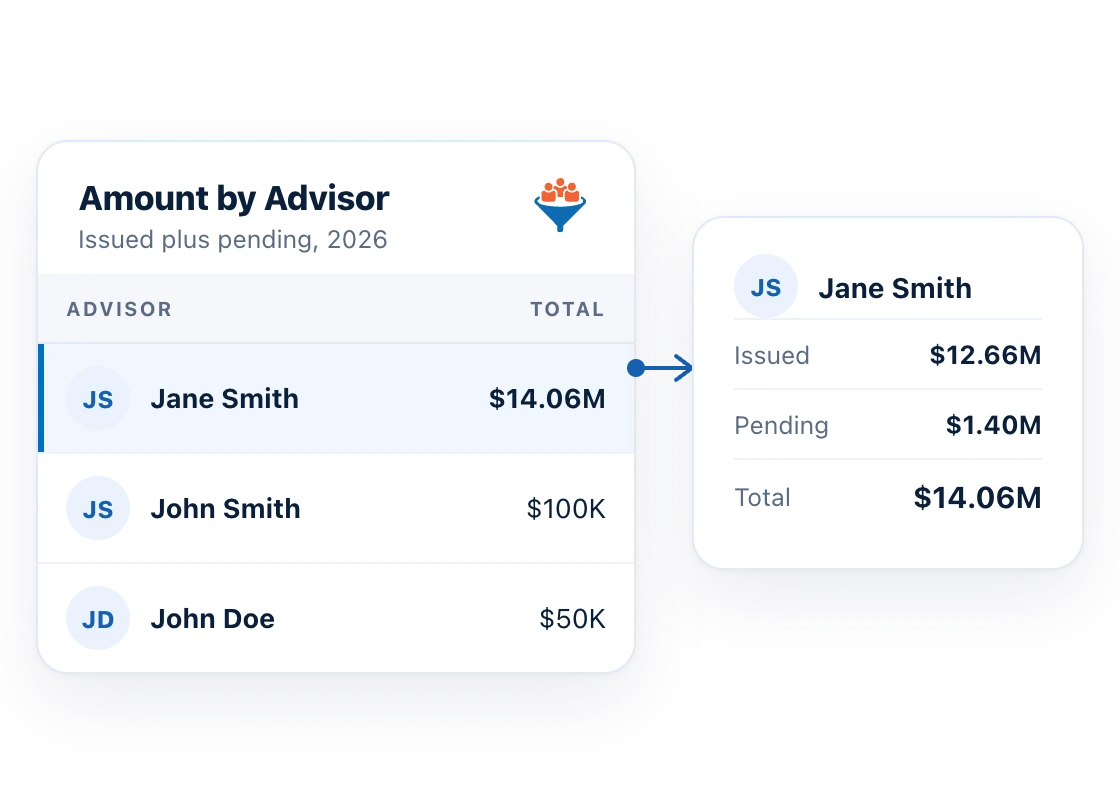
See Each Advisor’s Production
The By Advisor view shows each advisor’s issued, pending and forecasted amounts side by side, with a grand total. See who is ahead and who needs support.
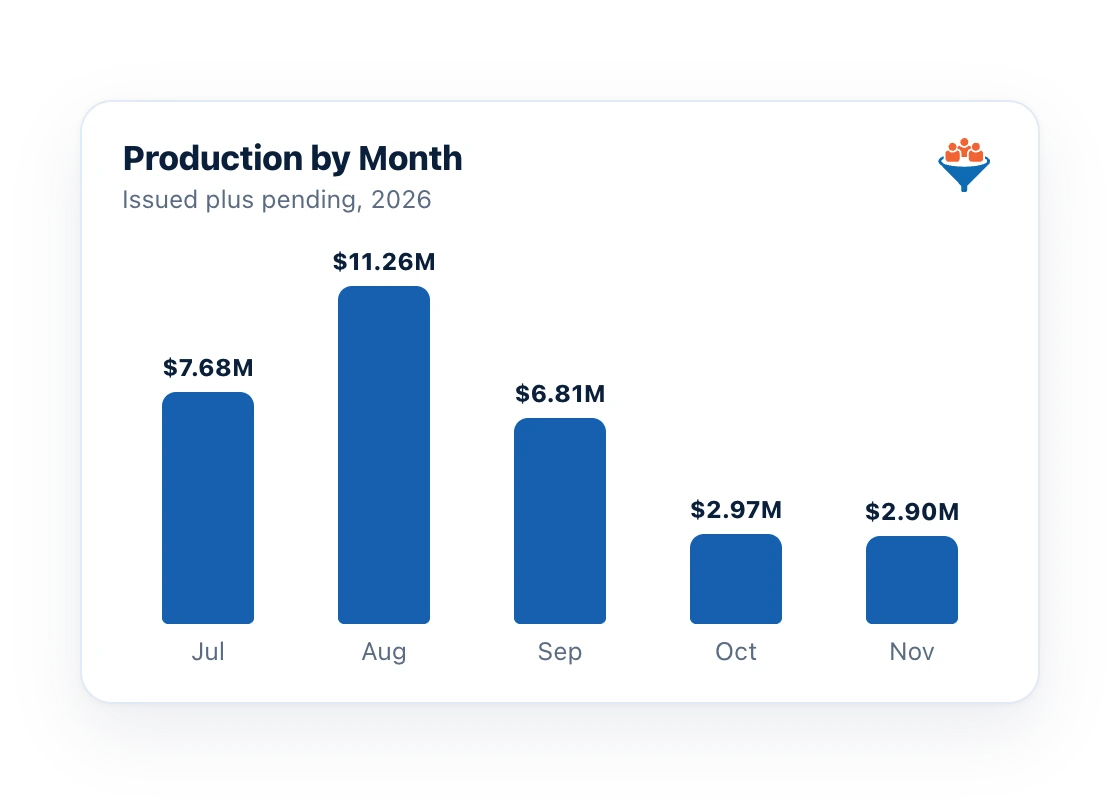
Watch Production Month by Month
The amounts timeline shows issued and pending production by month, quarter or year, so you can spot trends and plan ahead.
Frequently asked questions
What does production tracking show in LeadCenter?
It shows issued, pending, forecasted and canceled accounts, with totals by status, business type, advisor and source. You can download the current view as a PDF.
Can I see each advisor’s production?
Yes. The By Advisor tab lists issued, pending and forecasted amounts for each advisor. The Single Advisor report shows one advisor’s production, commissions and first appointments.
Which date does the report use?
The Pending, Forecasted, & Issued Production report filters by app signed date. The Issued Production report uses the issued date.
Can I track production for different types of insurance and AUM products?
Yes. Filter by insurance company, insurance product and product type, or by AUM product and AUM product type.
How often is production data updated?
Reports refresh every 15 minutes, so very recent changes can take a few minutes to appear.
Ready to Track Production Across Your Firm?
See issued, pending and forecasted production for every advisor in one place.
LeadCenter CRM, anywhere you go
Access your contacts, calendar, and tasks on the go with the LeadCenter mobile app for iOS and Android.


